How to repurpose a podcast: one episode, a week of posts
How do you repurpose a podcast? Record once, then turn the episode into everything people find podcasts through: vertical clips for TikTok, Reels and Shorts, the full episode on YouTube with chapters, audiograms for an audio-only show, show notes and posts from the transcript, and stills for thumbnails. Here's what to make from every episode, the free tool for each step, how many clips an episode gives, and a week's plan to post it all.
Updated 8 min read
From Clyper, the AI clipping tool that turns long videos into captioned vertical clips for TikTok, Reels and Shorts.
Get started


In short
- Start with clips: short vertical clips on TikTok, Reels and Shorts reach people who'd never open a podcast app, and every one points back to the episode.
- One hour-long episode gives about 10 strong clips on Clyper's Auto, and up to 30 if you ask for the most: more than a week of daily posts.
- Put the full episode on YouTube with chapters, and link your Shorts to it, so a clip's viewers can watch the rest.
- Turn the transcript into show notes, a blog post and a newsletter; turn frames into thumbnails and quote posts. Free browser tools do each step.
- Keep a weekly rhythm: release day, then a clip a day, each from the episode that's out.
On this page
- 1What to make from every podcast episode
- 2Start with clips for TikTok, Reels and Shorts
- 3Put the full episode on YouTube
- 4Audio-only podcast? Make audiograms
- 5The words: show notes, blog posts and newsletters
- 6Stills: thumbnails, quote posts and covers
- 7A week of posts from one episode
- 8A podcast repurposing workflow you can keep up
- 9Questions
What to make from every podcast episode
Repurposing a podcast means turning one recording into several pieces, each made for where it's posted, so the same hour reaches people who'd never open a podcast app. You don't need all of them. Start with clips and the full episode on YouTube, and add the rest as you have time:
| Piece | Where it goes | How to make it |
|---|---|---|
| Vertical clips | TikTok, Reels, Shorts, LinkedIn | Clyper finds the moments, frames and captions them, up to 30 an episode; or cut them by hand with the free video clipper |
| The full episode | YouTube, Spotify | Chapters from the free YouTube timestamp generator |
| Audiograms | Instagram, X, LinkedIn, for audio-only shows | The free audiogram maker |
| Transcript and show notes | Your site, the episode page, a newsletter | The free video to text converter |
| Thumbnails and stills | YouTube, quote posts, covers | The free frame extractor and thumbnail maker |
| The audio | Podcast apps, from a video recording | The free video to MP3 converter |
Every free tool here runs in your browser, so the episode never leaves your computer. Clyper is for the step that takes the longest by hand: finding the moments in an hour of talk and turning each into a clip ready to post.
Start with clips for TikTok, Reels and Shorts
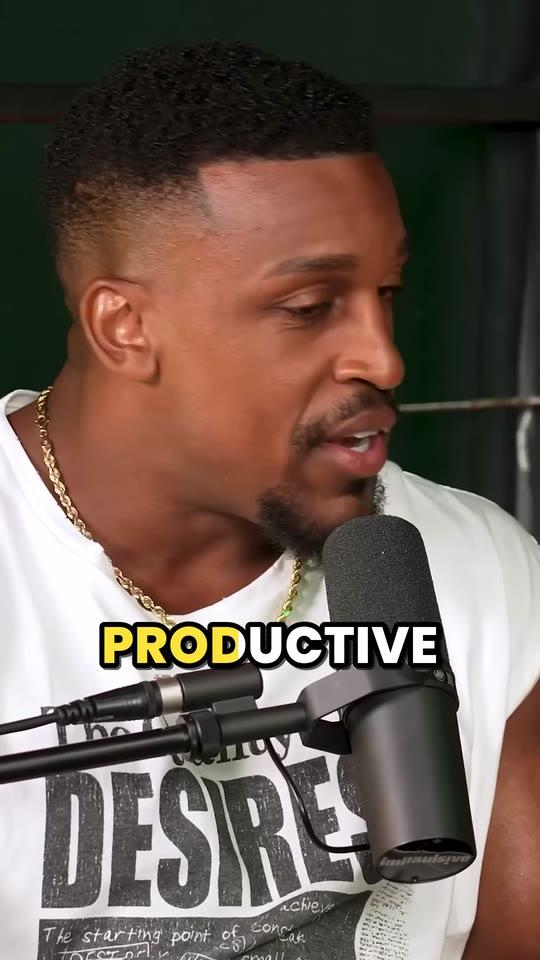
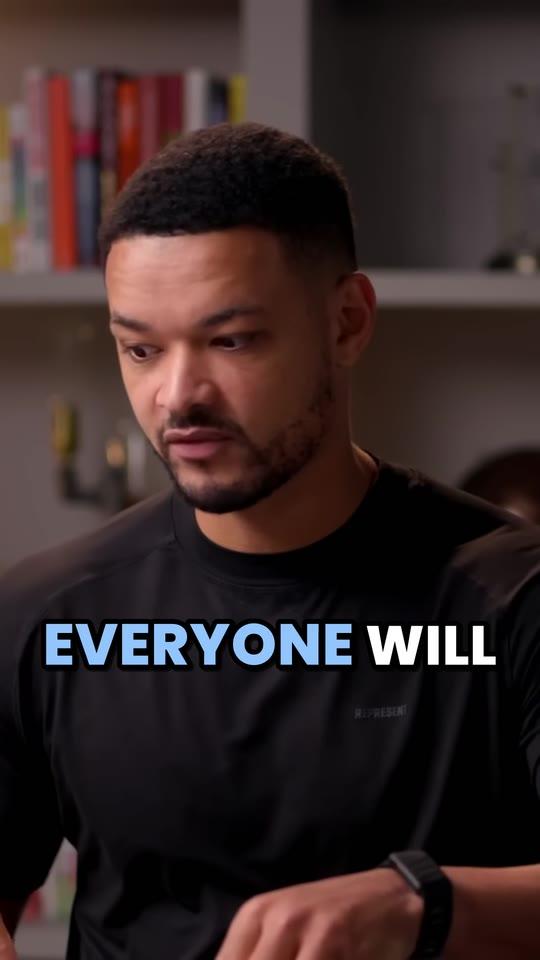
A 20- to 60-second clip of your best moment does what the full episode can't: it plays in the feed of someone who's never heard of your show. The ones that travel open on a strong line, make sense alone, frame whoever's talking and have captions for people watching muted. Here are three clips Clyper made from an episode of The Diary Of A CEO, with the hook scores it gave them:
How many clips does an episode give? On Clyper, you choose: up to one for every 2 minutes of episode, 30 at most, or Auto, which keeps to the strongest. A credit is a minute of video, whatever the number of clips:
| Episode | Clips on Auto | Clips, up to | Credits |
|---|---|---|---|
| 30 minutes | About 5 | 15 | 30 |
| 45 minutes | About 8 | 22 | 45 |
| 1 hour | About 10 | 30 | 60 |
| 1.5 hours | About 10 | 30 | 90 |
| 2 hours | About 10 | 30 | 120 |
Each clip is 20 to 60 seconds, cut on whole sentences, framed on whoever's talking (two hosts included) and captioned word by word in one of 5 styles. Episodes up to 4 hours go in at once. What makes a podcast moment worth clipping is in how to clip podcasts; Clyper's side is on podcast clips.
Put the full episode on YouTube
If you record video, the full episode on YouTube is the piece every clip can send people to. Three things make it work harder:
- Chapters, so people jump to the topic they came for. Mark them as it plays, or draft them from the transcript, with the free YouTube timestamp generator; YouTube's rules for them are in how to add timestamps.
- A thumbnail with a face and a few words, from a frame of the episode: the YouTube thumbnail maker does it in your browser.
- Shorts linked to it. A Short cut from the episode can show it as its related video, a tap away. See how to link a YouTube Short to a video.
More on building a show's audience there in how to grow a podcast on YouTube. Recorded in Riverside, StreamYard or Zoom? Clyper takes the file: see Riverside to clips and clips from any recording.
Audio-only podcast? Make audiograms
Without video, a clip needs something to look at. An audiogram is the show's cover art, the episode's title, bars that move with the voice and captions, as a video. The free audiogram maker makes one from a part of the episode, captions included, in 9:16, 1:1 or 16:9. How to choose the moment and make it hold attention is in how to make an audiogram.
If you can, record video next season too: a clip with faces gives people someone to watch, and even a webcam per host is enough for clips. See how to start a video podcast.
The words: show notes, blog posts and newsletters
An episode's transcript is a draft of everything written about it:
- Show notes: a summary, the guest, the chapters and links. The free video to text converter transcribes it on your device, up to 30 minutes at a time, with or without times.
- A blog post or episode page built from the transcript's best section, for people who find you by searching.
- A newsletter with the three best quotes and a link to each clip.
- Captions for posts: the line a clip opens on, plus a question for the comments. Check each app's limit with the social media character counter.
Stills: thumbnails, quote posts and covers
The best frames of an episode make the thumbnail, a cover for each Short and quote posts for Instagram and LinkedIn. Save them at full size with the free frame extractor (a screenshot looks worse), then add a title with the Shorts thumbnail maker or the YouTube thumbnail maker. See how to save frames from a video.
A week of posts from one episode
For a weekly show, here's one way to spread an episode over the week until the next one is out:
| When | What to post | Why |
|---|---|---|
| Day 1 | The full episode on YouTube and podcast apps; the strongest clip on TikTok, Reels and Shorts | Release day: send people to the episode |
| Day 2 | The second clip; a quote post with a still | Keep the episode in front of people |
| Day 3 | The third clip; show notes or a blog post from the transcript | For search, and listeners who skim |
| Day 4 | The fourth clip; an audiogram if your show is audio-only | A different format for the same moment |
| Day 5 | The fifth clip; the newsletter with the best quotes | Your most loyal listeners |
| Day 6 | The sixth clip | Weekend scrolling |
| Day 7 | The seventh clip, or the next episode's teaser | Lead into the next release |
Seven clips covers it: an hour-long episode gives about 10 on Auto. Plan it in a calendar with the free content calendar generator, and see how often to post and the best time to post.
A podcast repurposing workflow you can keep up
- Record and publish the episode as usual, on YouTube if you have video.
- Paste the episode's YouTube link into Clyper (or upload the file). Leave it on Auto, or ask for more clips for a daily schedule.
- Review the clips, sorted by hook score. Keep the ones that stand alone; trim an edge or fix a name in the editor.
- Transcribe the episode for show notes, the newsletter and the posts' captions.
- Schedule the week: the full episode first, then a clip a day, each post pointing back to the episode.
- Check what worked after a few weeks: which topics and openings got watched, and clip more of those. See what a good retention rate is.
For a bigger plan, from promotion to guests, see how to grow a podcast with clips and how to promote a podcast. Clyper for shows is on Clyper for podcasters, from $20 a month.
Questions
How do you repurpose a podcast?
Turn each episode into short vertical clips for TikTok, Reels and Shorts, put the full episode on YouTube with chapters, make audiograms if the show is audio-only, and turn the transcript into show notes, a blog post and a newsletter. Then post a piece a day until the next episode.
How many clips can you get from one podcast episode?
On Clyper, up to one for every 2 minutes of episode and 30 at most: up to 30 from an hour. Auto keeps to the strongest, about 10 from an hour.
What's the best tool to repurpose a podcast?
For clips, an AI clipping tool that frames whoever's talking and captions every word, like Clyper, from $20 a month. For the rest, free browser tools: a timestamp generator for chapters, an audiogram maker, a transcriber for show notes and a thumbnail maker.
Can you repurpose an audio-only podcast?
Yes. Turn its best moments into audiograms (the cover art, the title, moving bars and captions as a video) and its transcript into show notes and posts. If you can, record video too, so your clips have faces in them.
How often should I post podcast clips?
A clip a day from the latest episode is a rhythm most shows can keep with an AI clipping tool. Post the strongest clip on release day, with the full episode.
Should I post my full podcast on YouTube?
If you record video, yes: it gives every clip somewhere to send people, and YouTube Shorts cut from the episode can link to it as their related video.