YouTube to Reels
Turn YouTube videos into Instagram Reels, automatically
Paste a YouTube link. Clyper picks the moments that work as reels, crops each to 9:16 on whoever's talking and captions every word: up to 30 reels from one video, ready to post.
- No watermark
- 1080 × 1920 exports
- Captions in 50+ languages
- Up to 30 clips per video
How it works
- 1
Paste the YouTube link
Any public or unlisted video from 1 minute to 4 hours, or upload the file instead.
- 2
Get the reels
Clips of 20 to 60 seconds, each a moment that stands on its own, cropped to 9:16 and captioned word by word.
- 3
Post them on Instagram
Fix anything in the editor, download 1080 × 1920 MP4s with no watermark and share each as a reel.
What you get
- The strongest firstEvery clip gets a hook score, so the reel you post first is the one most likely to hold people.
- Whole momentsEach reel starts on a line that hooks and ends on its payoff, never mid-sentence.
- Framed for a phoneCropped to 9:16 and following whoever's talking, so the reel fills the screen.
- Captions on every wordAnimated captions in the video's language, for everyone watching with the sound off.
- Your final sayTrim to the word, extend either end by up to 15 seconds, fix a word or change the style.
- A clean file1080 × 1920 MP4s with no watermark, the size Instagram asks for.
“Didn’t touch editing software once. Just dropped links in, posted what it spit out.”
 Jordan Mackey, faceless clipper · $1,200/mo
Why turn YouTube videos into reels
Reels are how Instagram shows your videos to people who don't follow you. Your YouTube videos already have the moments; on Instagram they need to be short, vertical and captioned. A reel can run up to 20 minutes, but reels over 3 minutes aren't recommended to people who don't follow you, and the ones that travel are usually under a minute.
One long video gives you many: up to one reel for every 2 minutes of video, so a 30-minute video gives up to 15 and an hour or more up to 30. Work out yours with the clips per video calculator.
What Instagram asks of a reel
- 9:16, full HD. Instagram's minimum is 720 pixels on the short side at 30 frames a second; Clyper's clips are 1080 × 1920.
- No borders, logos or other apps' watermarks. Instagram shows those less often. Download the clip and upload the file, rather than reposting a video saved from another app.
- A hook in the first seconds, and something that makes sense to people who don't know you. That's what the hook score is for.
- Captions, since many people watch reels with the sound off. Clyper captions every word, burned in.
The cover and the caption
A reel's cover is what shows on your profile grid. Pick a frame where the speaker's face and the captions are clear, or make one with the free thumbnail maker. Then write a caption that adds to the clip rather than repeating it, with a few relevant hashtags. More in how to get more views on Instagram Reels.
The same clips on TikTok and Shorts
Every clip is 9:16 at 1080 × 1920, so it posts as it is on TikTok and YouTube Shorts too. Upload the file to each app separately, so no app's watermark ends up on another's. See YouTube to TikTok and YouTube to Shorts, or how to cross-post short videos.
Your videos, or ones you can clip
Turn your own YouTube videos into reels, or videos whose owners want clips, like a clipping campaign that pays for views. Reposting someone else's video without permission can get it taken down. See is clipping legal?
What it costs
A credit is a minute of video, so a plan is how much video you can clip in a month, however many clips it makes.
Starter
$20/mo
150 minutes, about 75 clips
Pro
$19/mo yearly
400 minutes, about 200 clips
Studio
$48/mo yearly
1,000 minutes, about 500 clips
Also as 2× or 4×, for more of both
Questions
How do I turn a YouTube video into Instagram Reels?
Paste its link into Clyper. It finds the best moments, crops each to 9:16 on whoever's talking and captions every word, for up to 30 reels. Download them and share each as a reel.
How long can an Instagram Reel be?
Up to 20 minutes, but reels over 3 minutes aren't recommended to people who don't follow you. Clyper's clips run 20 to 60 seconds.
What size should a reel be?
9:16, and 1080 × 1920 is that shape in full HD. Every Clyper clip downloads at that size, with no watermark.
Do I need to download the YouTube video?
No. Paste the link; Clyper takes it from there. You can upload a file instead if you have one.
Can I post the same clips on TikTok and Shorts?
Yes. They're 9:16 at 1080 × 1920, the size all three apps fill the screen with. Upload the file to each one.
Is there a free way to turn YouTube videos into reels?
Clyper is paid, from its Starter plan. Done by hand, you'd download your video, find the moments, crop each to 9:16 and caption it in an editor; the free vertical video converter helps with the cropping.
Paste a YouTube link, get the reels
Clyper finds the best moments of any YouTube video, crops them to 9:16 on whoever's talking and captions every word: up to 30 reels, ready to post.
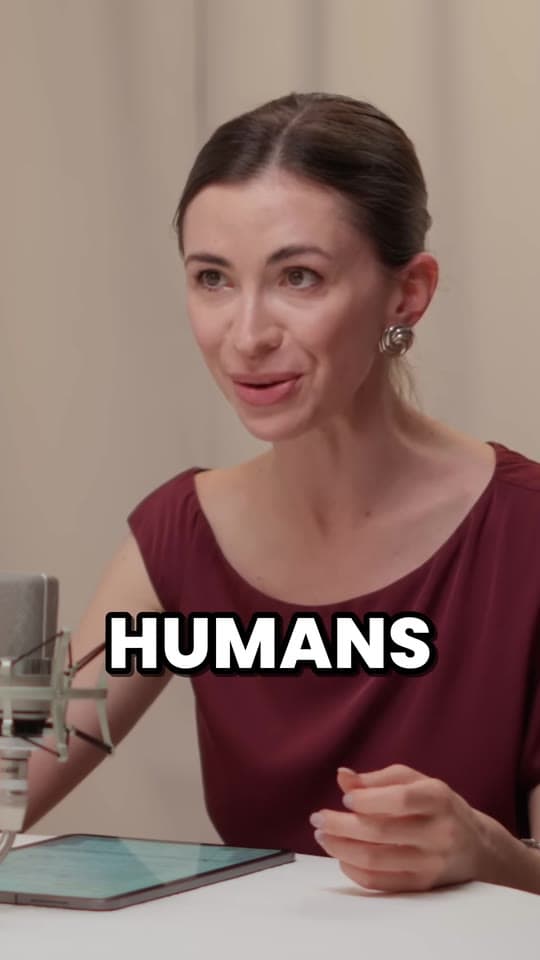


Learn more
- Making clipsHow to make Instagram Reels, step by stepRecording or uploading a reel, the editing tools, Edits, the length and size rules, and turning a long video into reels.11 min read
- GrowingHow the Instagram Reels algorithm works in 2026The signals Instagram says it ranks Reels by, what holds a reel back, and how to post so more people see yours.14 min read
- GrowingHow to get more views on Instagram Reels in 2026What Instagram says decides a reel's reach, what it holds back, what counts as original for clips, and how to test with trial reels and Insights.10 min read


Free tools
- Clips per video calculatorSee how many clips one video makes: paste a YouTube link or type its length, and get the clips, the days of posts and what a clip costs on Clyper.
- Video size checkerCheck a video's shape, size, length and format against what TikTok, Reels and Shorts take, and see what to fix.
- Shorts thumbnail makerMake a 9:16 cover for a Short, a TikTok or a reel: a frame of your video with a bold title, at the sizes the apps suggest.