About Clyper
What is Clyper?
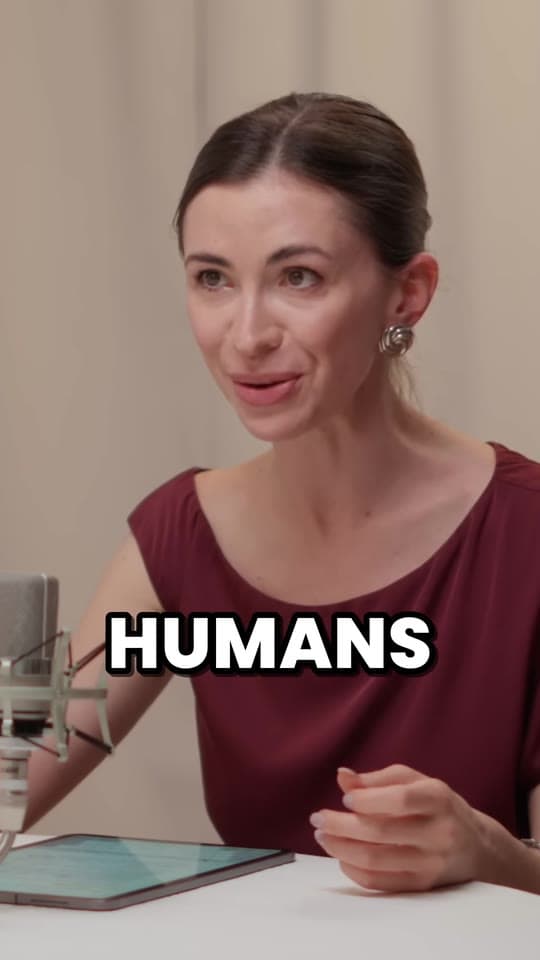
Clyper, also called Clyper AI, is an AI clipping tool. Give it a long video and it finds the moments that work on their own and turns them into up to 30 vertical clips with animated captions, ready for TikTok, Instagram Reels and YouTube Shorts. It's made for clippers who get paid per view, and for anyone with podcasts, streams or talks to clip.
- No watermark
- 1080 × 1920 exports
- Captions in 50+ languages
- Up to 30 clips per video

Who Clyper is for
Anyone with long videos, like podcasts, streams, interviews and talks, and a reason to post their best moments as short ones.
- ClippersPaid per view by creators' clipping campaigns. Paste the campaign's link, pick the clips worth posting and submit them.
- Clipping agenciesClips for your clients in their own caption styles, with 10 links at a time and priority processing on Studio.
- PodcastersEach episode cut into clips that start on a strong line, framed on whoever's talking and captioned word by word.
- StreamersClips from Twitch VODs and saved YouTube streams, with the webcam on top and the game below.
- YouTubers and creatorsLong videos turned into Shorts, Reels and TikToks with animated captions, ready to post as they are.
- BusinessesWebinars, talks, demos and interviews turned into captioned clips for LinkedIn, Shorts and Reels, in your brand's caption style.
What Clyper does
- 1
Add a video
Paste a link to a public or unlisted YouTube video, a Twitch VOD or a video file shared from Google Drive or Dropbox, or upload an MP4, MOV, WebM or MKV file.
- 2
Clyper makes the clips
It reads the whole video, picks the moments that open on a strong line and end on a payoff, cuts each to whole sentences, frames it on whoever's talking and captions every word.
- 3
Edit, download, post
Trim or extend a clip, fix a word or switch the caption style, then download it and post it on TikTok, Instagram Reels or YouTube Shorts.
- Links and uploadsYouTube, Twitch, Google Drive and Dropbox links, or a file up to 4 GB. From 1 minute up to 4 hours of video at a time.
- Up to 30 clips a videoAs many as you choose, up to one for every 2 minutes of video, each cut to whole sentences.
- Framed on the speakerEvery clip is cropped to 9:16 and follows whoever's talking. Streams get the webcam on top and the game below.
- Animated captionsWord by word, in 5 styles and 50+ languages, placed above the apps' usernames and captions.
- A hook score on every clipEach clip is scored for how well it hooks and holds attention, so you can post the strongest first.
- An editor for every clipTrim to the word, extend either end by up to 15 seconds, fix any caption or switch the style. Edits never cost credits.
- No watermark1080 × 1920 MP4s with no watermark on any plan, ready to post as they are.
- Headlines and a brand kit on ProA hook headline at the top of every clip, and up to 10 caption styles of your own: font, colors, size and placement.
- Bulk links on StudioPaste up to 10 links at once. Clyper works through them in turn, with priority when there's a wait.
“Didn’t touch editing software once. Just dropped links in, posted what it spit out.”
 Jordan Mackey, faceless clipper · $1,200/mo
How Clyper is priced
Clyper is paid for with a monthly or yearly plan of credits. A credit is a minute of source video, and every video uses at least 10, however many clips it makes. If a video doesn't produce any clips, you get its credits back.
There's no free trial. Starter is billed month to month, and Pro and Studio cost up to 50% less a month billed yearly. You can cancel any plan anytime in the billing portal.
What it costs
A credit is a minute of video, so a plan is how much video you can clip in a month, however many clips it makes.
Starter
$20/mo
150 minutes, about 75 clips
Pro
$19/mo yearly
400 minutes, about 200 clips
Studio
$48/mo yearly
1,000 minutes, about 500 clips
Also as 2× or 4×, for more of both
Clyper at a glance
- Name
- Clyper, also known as Clyper AI and clyper.io
- What it is
- An AI clipping tool and AI clip maker, used in the browser at clyper.io, on a computer or a phone
- Who runs it
- Clyper runs clyper.io and the Clyper app, under its Terms of Service and Privacy Policy
- Contact
- [email protected]
- Payments
- Through Stripe's checkout, in your currency where Clyper has prices in it and in US dollars otherwise
- Languages
- The app and the main pages in 10 languages (English, Spanish, Portuguese, French, German, Italian, Japanese, Korean, Indonesian and Turkish); captions in 50+
- Your data
- Processed by Clyper and its service providers, who may do so in countries other than yours, including the United States
- Independent
- Not affiliated with or endorsed by YouTube, TikTok, Instagram or any other platform or campaign
Clyper elsewhere
Clyper's own pages on Product Hunt, Instagram and Facebook. On Product Hunt, anyone with an account can review it; for what customers say, see the Clyper reviews.
Get in touch
Questions about Clyper, your account or a plan go to [email protected]. To change or cancel a plan, open Billing in the app and choose Manage billing.
Questions about Clyper
What is Clyper?
Clyper, also called Clyper AI, is an AI clipping tool. Paste a YouTube, Twitch, Google Drive or Dropbox link, or upload a video, and it finds the moments that work on their own and turns them into up to 30 vertical clips, each cut to whole sentences, framed on whoever's talking, captioned word by word and given a hook score, ready for TikTok, Instagram Reels and YouTube Shorts. It's made for clippers who get paid per view, and for podcasters, streamers and creators.
Is Clyper AI the same as Clyper?
Yes. Clyper AI and clyper.io are other names for Clyper, the AI clipping tool at clyper.io.
Who is Clyper for?
Clippers who get paid per view by creators' clipping campaigns, and the podcasters, streamers, creators, clipping agencies and businesses who have long videos to turn into short ones for TikTok, Instagram Reels and YouTube Shorts.
How much does Clyper cost?
In US dollars: Starter is $20 a month; Pro is $38 a month, or $19 a month billed yearly; Studio is $96 a month, or $48 a month billed yearly. The pricing page shows the plans in your currency. A credit is a minute of video, so Starter's 150 credits a month clip 150 minutes of video, up to 75 clips.
Is there a free trial?
There's no free trial. Starter is $20 a month with no commitment, so you can try Clyper for a month and cancel anytime.
How do I contact Clyper?
Email [email protected]. To change or cancel a plan, open Billing in the app and choose Manage billing.
Is Clyper on social media?
Yes. Clyper is on Product Hunt, Instagram and Facebook, and the links are on this page and in the site's footer.
Is Clyper affiliated with YouTube, TikTok or Instagram?
No. Clyper isn't affiliated with or endorsed by YouTube, TikTok, Instagram or any other platform or campaign. It makes the clips, and you download them and post them yourself.
See what Clyper finds in your video
Paste a YouTube, Twitch, Google Drive or Dropbox link, and Clyper turns its best moments into captioned clips, ready to post.
See plans and pricing