YouTube to TikTok
YouTube to TikTok: paste a link, get the TikToks
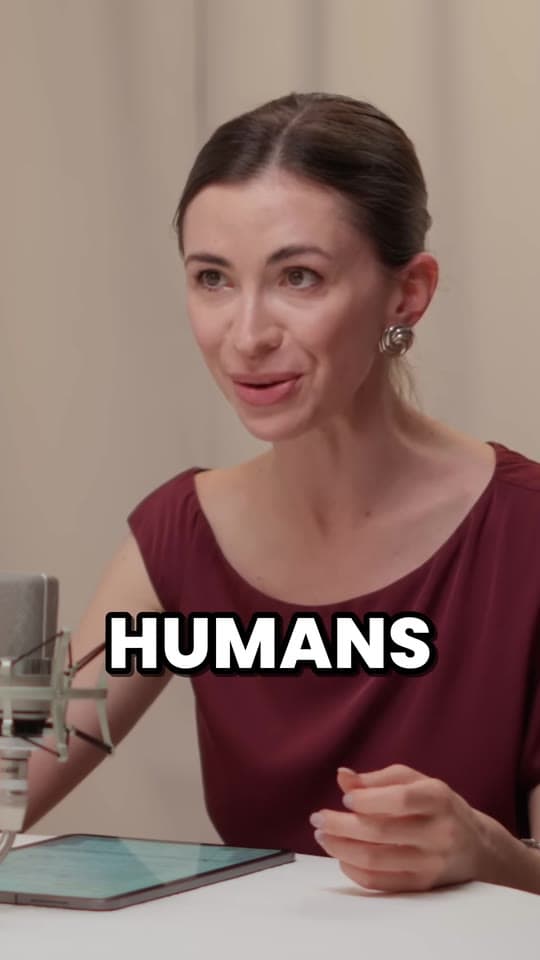
Paste a YouTube link. Clyper finds the moments in it that work on TikTok, crops each to 9:16 on whoever's talking and captions every word: up to 30 TikToks from one video, with nothing to download or edit.
- No watermark
- 1080 × 1920 exports
- Captions in 50+ languages
- Up to 30 clips per video
How it works
- 1
Paste the YouTube link
Any public or unlisted video from 1 minute to 4 hours, live stream replays included. Or upload the file.
- 2
Get vertical clips
Clips of 20 to 60 seconds, each cut to whole sentences, cropped to 9:16 on the speaker and captioned word by word.
- 3
Post them on TikTok
Check them in the editor, download 1080 × 1920 MP4s with no watermark and upload them in the TikTok app or on the web.
What you get
- A hook score on every clipEach clip is scored for how well its opening hooks, so you post the strongest first.
- Cut to whole sentencesEvery clip starts on a line that hooks and ends on its payoff, never mid-word.
- 9:16, on the speakerEach shot is cropped to fill a phone and follows whoever's talking as they move.
- Captions TikTok viewers readBold animated captions on every word, in the video's language, placed above TikTok's caption and username.
- Fix it in the editorTrim to the word, extend either end by up to 15 seconds, fix a word or switch the caption style.
- Ready to upload1080 × 1920 MP4s with no watermark: the size TikTok fills the screen with.
“Tripled our client load without hiring anyone. Clyper is basically a second team.”
 Dan Reyes, Lowkey Media · 9 clients
Why not post the whole video?
TikTok takes uploads of up to 60 minutes in the app, or 30 minutes from a computer, so a YouTube video often fits. But a 16:9 video fills only about 32% of a phone held upright, and a 20-minute video asks someone mid-scroll for 20 minutes. Many swipe away in the first seconds.
A clip of the video's best moment asks for 60 seconds or less, fills the screen and gets to the point in its first line. That's what TikTok shows to people who don't follow you yet. One YouTube video holds many such moments, and each is its own TikTok. The full walkthrough is in how to post YouTube videos on TikTok.
What makes a YouTube moment work on TikTok
- It hooks in its first line. A bold claim, a question, a surprise. Clyper scores every clip's opening and shows the score, so you know which to post first. More in short video hooks.
- It stands on its own. No “as I said earlier”. Clyper picks moments that make sense to someone who never saw the video.
- It pays off. The clip ends on the answer, the punchline or the reveal, not halfway to it.
- It's readable with the sound off. Captions on every word, big enough to read at arm's length.
The videos with the most of these moments are people talking: podcasts, interviews, commentary, streams and lessons.
How many TikToks from one YouTube video
| YouTube video | TikToks, at most | Credits |
|---|---|---|
| 10 minutes | 5 | 10 |
| 20 minutes | 10 | 20 |
| 45 minutes | 22 | 45 |
| 60 minutes | 30 | 60 |
You choose the number, up to one for every 2 minutes of video and 30 in all, for the same credits either way. Work out any video with the free clips per video calculator.
Posting on TikTok
- Upload the file. Download the clip and upload it in TikTok, rather than sharing a link or a video with another app's watermark on it.
- Write a caption that adds to it. TikTok allows up to 2,200 characters; the first line is what people see. Count yours with the character counter.
- Keep text clear of the buttons. Anything you add on top should sit inside TikTok's safe zone. Check a frame with the safe zone checker.
- Post regularly. One video, many clips: see how often to post.
Your videos, or ones you can clip
Turn your own YouTube videos into TikToks, or videos whose owners want clips, like the creators who pay clippers per view in their clipping programs. Reposting someone else's video without permission can get it taken down, and TikTok keeps unoriginal reposts out of the For You feed: see TikTok unoriginal content.
What it costs
A credit is a minute of video, so a plan is how much video you can clip in a month, however many clips it makes.
Starter
$20/mo
150 minutes, about 75 clips
Pro
$19/mo yearly
400 minutes, about 200 clips
Studio
$48/mo yearly
1,000 minutes, about 500 clips
Also as 2× or 4×, for more of both
Questions
How do I convert a YouTube video to TikTok?
Paste its link into Clyper. It finds the best moments, cuts each to whole sentences, crops it to 9:16 on whoever's talking and captions every word, for up to 30 clips. Download them and upload them in TikTok.
Do I need to download the YouTube video first?
No. Paste the link and Clyper does the rest. If you already have the file, you can upload it instead.
How long can a TikTok be?
Up to 60 minutes uploaded in the app, or 30 minutes from a computer. Clips that reach new people are usually far shorter: Clyper's run 20 to 60 seconds.
Can I post someone else's YouTube video on TikTok?
Only with permission, like a clipping campaign gives. Otherwise it can be taken down, and TikTok keeps unoriginal reposts out of the For You feed.
Is there a free YouTube to TikTok converter?
Clyper is paid, from its Starter plan. To crop part of a video to 9:16 by hand for free, the vertical video converter does it in your browser; finding the moments and captioning them is the part Clyper does for you.
Will the clips have a watermark?
No. Every clip downloads as a 1080 × 1920 MP4 with no watermark, on every plan.
Paste a YouTube link, get the TikToks
Clyper finds the best moments of any YouTube video, crops them to 9:16 on whoever's talking and captions every word: up to 30 TikToks, ready to post.


Learn more
- GrowingHow to post YouTube videos on TikTokWhy a link won't play, getting your own video's file, TikTok's upload limits, vertical clips, and the link in your profile.11 min read
- GrowingTikTok unoriginal content: what it means and how to avoid itWhat TikTok calls unoriginal, how a post or a whole account loses the For You feed, what Creator Rewards won't pay for, and how clippers stay eligible.13 min read
- GrowingHow to get more views on TikTok in 2026What TikTok says its For You feed looks at, what makes a video ineligible, and the habits that get videos watched to the end and found in search.8 min read
Free tools
- YouTube clip makerClip any moment of a YouTube video by its start and end, and share it as a link, an embed or its timestamps.
- Clips per video calculatorSee how many clips one video makes: paste a YouTube link or type its length, and get the clips, the days of posts and what a clip costs on Clyper.
- Safe zone checkerCheck your clip against TikTok, Reels and Shorts' buttons and captions before you post.