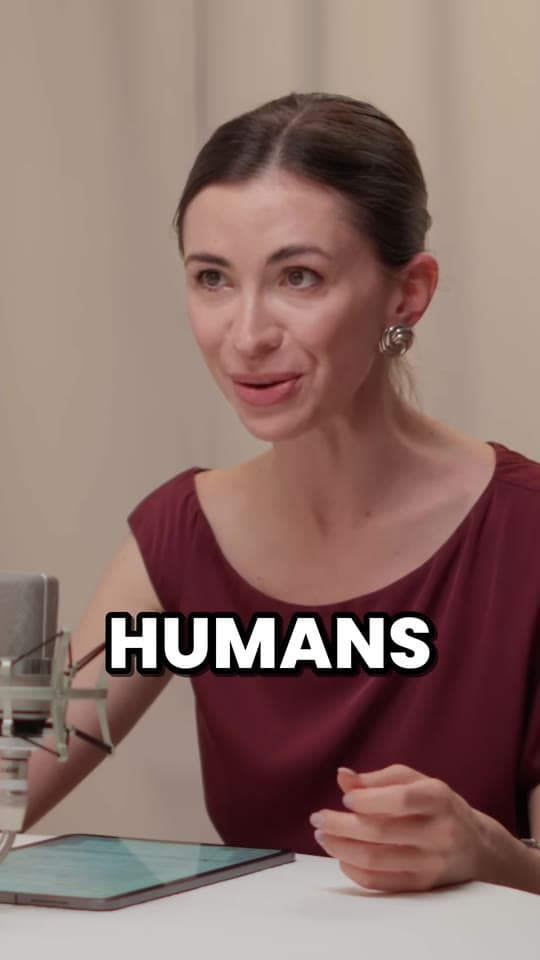
How to get guests on your podcast, and get them to share it
How to get podcast guests when your show is small: ask people one step ahead of you, other hosts your size, your own listeners and experts nearby, with a short message that says why them and what they get. Here's who to ask, where to find them, a pitch template, how to book and record them, the permission to get, and how to make the episode easy for them to share.
Updated 12 min read
From Clyper, the AI clip maker that turns long videos into captioned vertical clips for TikTok, Reels and Shorts.
Get started
In short
- Start with people the ask fits: someone a step ahead of you, hosts with shows your size, listeners with a story, and local experts. Big names come later, once you have episodes to show them.
- Find them in your own network first, then on LinkedIn and X, in other shows' guest lists, and on guest-matching sites, which say they connect hosts and guests (some free, some paid).
- A pitch that gets a yes is short and specific: who you are, why them, one topic, what it takes, and what they get, with an episode to listen to.
- Before you record, send the topic, a rough outline, a tech checklist and a release that covers the episode and its clips. Record each person's track locally if you can.
- Make sharing easy: send the links and two or three captioned clips of the guest's best moments, and invite them as a collaborator on Instagram or YouTube.
On this page
Who to ask first when your show is small
A small show gets yeses from people for whom the ask makes sense. Spotify's advice for podcasters is to define your ideal guest first and look beyond follower counts: would they resonate with your audience, and bring them something new? Four kinds of guest usually fit a new show:
- Someone a step ahead of you. Not the most famous person in your field, but someone a few years further along: the founder whose company is a little bigger than yours, the coach with a full client list, the writer with one book out. They remember being where your listeners are, which makes for useful episodes.
- Other hosts your size. Podcasters know how to talk into a mic and understand why you're asking. Offer to be on their show in return: a guest swap gives you both an episode and each other's listeners.
- Your listeners. Someone who wrote in with a great story, a question you couldn't answer or a job your audience is curious about. Spotify suggests asking listeners about topics and guests in polls: ask who they'd like to hear, and who among them has a story.
- Local experts. A professor at the nearby university, a business owner in your town, the doctor or lawyer who explains things well. Local guests can often record in person, which makes for an easier first episode.
Spotify's other tip is to start close: friends, colleagues and fellow creators are easier to approach, give honest feedback, and can introduce you to people in their networks. A few good episodes with them are what you'll show the bigger names later.
Where to find podcast guests
- Your network. Past colleagues, clients, classmates, people you follow and reply to. Ask each guest at the end of the recording: “Who should I talk to next?” An introduction from them beats any cold message.
- Other podcasts. Listen to shows near yours and note who they've had on. A guest who did well on a similar show is used to it and may have more to say.
- LinkedIn and X. Search the topic of your next episode and look at who posts about it, writes long answers in the comments, or shares their own work. Read a few of their recent posts before you write: you'll need one specific thing to mention. Spotify also points to podcasting groups on Facebook, LinkedIn and Reddit as places to find people to work with before you ask.
- Guest-matching sites. Services that say they connect podcasters with people who want to be guests. Two of them, as their own pages describe themselves when we checked on October 26, 2026:
| Site | How it says it works | Cost, as its page says |
|---|---|---|
| PodMatch | AI-powered matching of hosts and guests. Hosts get a show landing page, guests a media one-sheet, and you message each other and track interviews on the site | Subscription plans for hosts, guests or both, and for agencies. Its page says hosts can also get paid for interviewing guests |
| PodcastGuests.com | Podcasters describe the guest they want; experts on its newsletter apply, and the site passes on the list. Hosts can also search a directory of experts | Free to join, with a paid directory for experts. It says it has more than 47,000 users |
We haven't used either and don't recommend one over the other, or over your own outreach. A guest who comes from a matching site has usually signed up to be booked, so check that they fit your show, not just that they're available. And if a guest pays to be on, as PodMatch's page says hosts can be, tell your listeners: the FTC's guide for influencers says to disclose the relationship if you got anything of value to mention a product.
How to ask someone to be on your podcast
Spotify's advice for cold outreach is a direct message or email that's “specific, genuine, and concise”: who you are, why they're a fit, and what your audience looks like, with your trailer attached so they can judge the show quickly. In practice, a pitch that gets a yes answers five questions in under 150 words:
- Who are you? One line: the show, what it's about and who listens.
- Why them? One specific thing they made or said. “I love your work” reads like a template; “your thread on pricing your first client” doesn't.
- What would you talk about? One topic, not a list. Guests say yes to a conversation they can picture.
- What does it take? How long, remote or in person, and roughly when.
- What do they get? The episode, and clips of their best moments to post on their own accounts. Be honest about your audience's size; a small, specific audience is a fine thing to offer.
Subject: Guest spot on [show]: [the topic]?
Hi [name], I host [show], a weekly podcast about [topic] for [who listens].
Your [post / talk / episode] on [the specific thing] stuck with me, especially [one detail]. I'd love to have you on to talk about [one topic], which my listeners keep asking about.
It's a 45-minute conversation, recorded remotely at a time that suits you in the next few weeks. You'd get the episode and a few short clips of your best moments to post on your own accounts.
Here's a recent episode so you can hear the show: [link]. Would that work for you?
[Your name], [show]
If there's no answer in a week, send one short follow-up, then let it go. A no now is often a yes later, once the show has more episodes, so keep a list of everyone you've asked and when.
Booking and preparing a guest
Once they say yes, make the rest easy. Send one message with everything in it:
- A time, in their time zone. Offer a booking link or two or three slots. Recording tools have schedulers too: Riverside's Planner invites up to 10 guests by email to a session, with the date, time and time zone (it uses the host's unless you change it) and a link to the studio.
- The topic and a rough outline. Three or four areas you'll cover and the first question, not a script. Guests talk better when they know where the conversation is going, and worse when they've memorized answers.
- How long, and how it'll be used. The length of the recording, when the episode should go out, and that you'll make short clips from it. This is also when to send the release (see below).
- The tech checklist. What they need to sound good, so the first five minutes aren't a sound check.
Riverside's own checklist for guests recording on a computer is a good one to borrow, whatever you record with: a stable internet connection (a wired one is more reliable than Wi-Fi), a supported browser (Chrome, Safari or Edge, and not in a private window), at least 5 GB of free space, other tabs and apps closed, the computer plugged in with the energy saver off, headphones to prevent echo, an external mic rather than the laptop's, and the strongest light in front of them, not behind.
Do your homework too. Read or listen to something recent of theirs, and have one question ready that nobody else has asked them. That question is often where the best clip of the episode comes from.
Recording a remote guest
Most guests will join from home. Recording the call itself gives you the call's quality, which drops whenever someone's connection does. The better way is a local recording of each person:
- In a browser studio like Riverside, each person's track is recorded on their own device and uploaded during the session or right after it, so a poor connection doesn't touch it. Riverside's guest checklist asks guests to leave the window open until it shows the upload as complete, so tell your guest not to close the tab when you say goodbye.
- On Zoom, the host records, or gives a participant permission to (Allow Record, from the Participants menu). For a computer recording, turn on “Record a separate audio file for each participant” in the desktop app's settings, on the Recording tab: each voice lands in its own file in an Audio Record folder, named for the person, so you can fix one guest's level without touching yours.
Getting the file out and into clips is covered for each tool: Riverside recordings, Zoom recordings and any recorded interview. Cameras, mics and rooms for a filmed show are in how to start a video podcast, and lining up and cleaning the tracks in how to edit a podcast.
Permission to use the recording and clips
A guest who agreed to an interview has agreed to an episode. They may not have pictured a dozen clips of their face on TikTok, or their name in your ads. Get it in writing before you record. This is general practice, not legal advice:
- Consent to record. Recording laws differ by place, and some US states require everyone on a call to agree to it. When people are in different states, the Digital Media Law Project's guide says it's best to play it safe and get the consent of all of them. Zoom shows a recording indicator, but ask anyway, on the recording, at the start.
- A short release. A paragraph the guest agrees to by email or signs: that you can publish the episode in audio and video, edit it, cut short clips from it for any platform, and use their name, photo and words to promote it. The same guide calls consent a complete defense to a claim over using someone's name or likeness, and suggests getting it in writing.
- What they can ask for. Say whether they can ask for something to be cut, and whether they'll see the episode before it goes out. Offering to cut a slip they regret costs little and makes guests relax.
- Anything with AI. If you'd ever make new audio in a guest's voice, ask first and separately. Riverside, which offers a voice clone of a guest on its Business plan, has the guest read a consent statement on camera, and won't generate anything until they have.
Make the episode easy for your guest to share
A guest's followers are an audience you can't reach any other way, so make sharing the episode take them a minute. Spotify suggests sending past guests a press kit: suggested copy, the episode link, cover art, a quote and a photo from the session. Send it the day the episode goes out, with:
- The links. One link to the episode on each app. Apple Podcasts' free marketing tools make short links to a specific episode and social posts, including ones to tell listeners about your guests.
- Two or three clips of their best moments. Vertical, captioned, 30 to 60 seconds, with them talking. A guest who has to cut their own clip may never get to it. Pick the moments where they sound sharpest: the story, the strong opinion, the answer to your best question. The free video highlight finder marks where a recording gets lively, so you can find them without rewatching it all.
- A collab invite. On Instagram, invite the guest as a collaborator when you post the clip: once they accept, their username is added, and the post is shared with their followers and shows on their profile. Instagram's help center says a post can have up to 5 collaborators. On YouTube, invite them as a collaborator on the episode or a Short (in the upload flow's Details, expand the options under Audience, then “Invite a collaborator”): up to 10 creators, each shown with a subscribe button once they accept, and YouTube says it aims to recommend the video to both audiences. The revenue stays with the channel that posted it.
- A line they can paste. “I talked to [host] about [topic] on [show]. Here's the part about [their best moment].” It saves them writing one.
By hand, those clips mean rewatching the episode, cutting each moment, reframing a two-person shot into 9:16 and captioning every word. Clyper does that from the episode's YouTube link or the file: it finds the moments that stand on their own, cuts each on whole sentences, frames whoever's talking and captions every word, up to 30 clips from an hour-long episode. In the editor you can fix the spelling of the guest's name in a caption, trim a clip to the word or extend either end by up to 15 seconds, then download 1080 × 1920 MP4s with no watermark to send. More in podcast clips with Clyper.
Following up after the episode
- Say thank you, publicly. Tag them when you post the episode and each clip. Spotify also suggests congratulating guests publicly and resharing their episode, which keeps you on their radar.
- Keep posting their clips. One clip a week for a month, linked to the episode, gives the guest more chances to reshare. Plan them with the content calendar generator, and see how to schedule TikToks, Reels and Shorts to post them ahead. On YouTube, link each Short to the episode.
- Ask for the next guest. If you didn't at the end of the recording, ask now: “Who else should I have on?” An introduction from a happy guest is the easiest booking you'll get.
- Keep a guest list. Who you asked, when, what they said, when they recorded and what they shared. It shows who to ask back, and which kinds of guests brought new listeners.
Questions
How do I get guests on my podcast if it's small?
Ask people the ask fits: someone a step ahead of you in your field, other hosts with shows your size (offer to guest on theirs too), listeners with a story and local experts. Send a short, specific message that says why them, what you'd talk about and what they get, with an episode they can listen to.
How do you ask someone to be a guest on your podcast?
In a short email or DM: one line on the show and who listens, one specific thing of theirs you liked, one topic for the conversation, how long it takes and when, and what they get, like clips of their best moments for their own accounts. Link a recent episode, and follow up once if there's no answer in a week.
Where can I find podcast guests?
Your own network first, then people who post about your topic on LinkedIn and X, guests of shows like yours, podcasting groups on Facebook, LinkedIn and Reddit, and guest-matching sites such as PodMatch and PodcastGuests.com. Ask every guest who you should talk to next.
Do I need a release form for podcast guests?
It's wise to have one. A short written agreement that you can record, publish and edit the episode, cut clips for any platform and use their name and photo to promote it avoids misunderstandings later. Ask for consent to record at the start of the recording too, since some US states require everyone's agreement. For anything specific, ask a lawyer where you are.
How do I get guests to share my podcast episode?
Make it take a minute: on release day, send the links, two or three vertical, captioned clips of their best moments and a line they can paste. Invite them as a collaborator on your Instagram post or YouTube video, so it reaches their followers once they accept, and tag them every time you post a clip.
Sources
The apps' rules are from their own pages, read on October 26, 2026. They change from time to time, so check them before you rely on one.
- Spotify for Creators: how to grow your podcast audience (July 29, 2024)
- PodMatch: home page (read October 26, 2026)
- PodcastGuests.com: home page (read October 26, 2026)
- Riverside Help: guest checklist and tips for recording on a computer (October 25, 2026)
- Riverside Help: about high-quality tracks (October 23, 2026)
- Riverside Help: schedule a studio session
- Riverside Help: create an AI voice clone of a guest (October 24, 2026)
- Zoom Support: starting a computer recording
- Digital Media Law Project: recording phone calls and conversations (archived guide)
- Digital Media Law Project: using the name or likeness of another (archived guide)
- Instagram Help: collaborative posts
- YouTube Help: invite collaborators to your video
- Apple Podcasts for Creators: elevate your marketing assets
- FTC: Disclosures 101 for social media influencers (November 2019)