MP4 to MP3 converter
To convert MP4 to MP3, choose the video, pick a bitrate and press Convert to MP3. 192 kbps suits most things and makes about 1.4 MB a minute; 128 kbps is plenty for speech. All of the video or just a part, free, and the MP4 never leaves your device.
A free tool from Clyper, the AI clipping tool that turns long videos into captioned vertical clips.
Get startedMP4, MOV, WebM or MKV, or drop one on the player. It's converted on your device: nothing is uploaded.
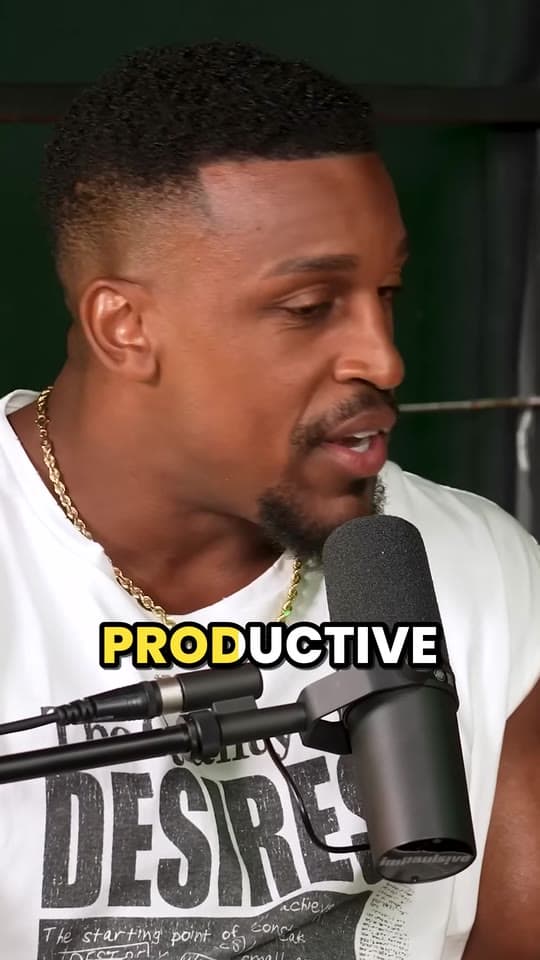
An example: 8 seconds of IMPAULSIVE
Free, no watermark, and nothing to sign up for.
How to convert MP4 to MP3
- Choose the MP4, or drop it on the player. It plays there so you can find the part you want.
- Pick a part, or leave the bar as it is to convert all of it.
- Pick MP3 and a bitrate: 128 kbps for speech, 192 kbps for most things, 320 kbps for music.
- Press Convert to MP3, play it to check, and download it.
MP3 bitrates and file sizes
An MP3's size is its bitrate times its length, whatever's in it: a minute at 192 kbps is 1.4 MB whether it's silence or an orchestra. These are the sizes this converter makes.
| Bitrate | A minute | 10 minutes | An hour | Good for |
|---|---|---|---|---|
| 128 kbps | 1.0 MB | 9.6 MB | 58 MB | Speech: podcasts, lectures, voice notes |
| 192 kbps | 1.4 MB | 14 MB | 86 MB | Most things |
| 320 kbps | 2.4 MB | 24 MB | 144 MB | Music, and MP3's highest |
320 kbps is as high as MP3 goes. MDN gives 128 kbps as the lowest it recommends for stereo MP3, so this converter starts there.
What people turn MP4s into MP3s for
A podcast's audio. A video podcast recorded as an MP4 becomes the episode for the podcast apps. Speech at 128 kbps keeps an hour-long episode around 58 MB. Background hum? Clean it first with the background noise remover.
A talk or a lecture to listen to. Audio is a fraction of the size of the video, so it fits on a phone and plays with the screen off. To read it instead, turn it into text with video to text.
Your own music or voiceover from a screen recording or a phone video, to use in an editor. For editing, pick WAV, which isn't compressed at all.
Turning the audio into an episode? Clip the video too
The MP3 is for people who already listen. The video is how new people find the show: short vertical clips of its best moments, with captions, on TikTok, Reels and Shorts. Clyper finds those moments in a long video and makes the clips; read how to grow a podcast with clips.
Questions
How do I convert MP4 to MP3?
Choose the MP4, leave MP3 picked, choose 192 kbps (or 128 kbps for speech) and press Convert to MP3. Play it to check, then press Download MP3. The whole video is converted unless you drag the ends of the bar to a part.
What bitrate should my MP3 be?
128 kbps for talking (a podcast, a lecture, a voice note), 192 kbps for most things, and 320 kbps, MP3's highest, for music. An hour at 128 kbps is about 58 MB; at 320 kbps, about 144 MB.
Will 320 kbps sound better than the video?
No. The sound in an MP4 is already compressed, usually as AAC, and converting can't bring back what that took out. A higher bitrate keeps more of what's there; past about the video's own bitrate it only makes the file bigger.
Can I convert just one part of the MP4?
Yes. Drag either end of the bar under the video, type a start and an end, or play it and press Now at each point. Only that part becomes the MP3.
MP3 or M4A?
MP3 if it has to play everywhere: old phones, car stereos, podcast hosts, any app. M4A (AAC sound) if it's for Apple devices or anywhere modern: AAC was designed to sound better than MP3 at the same size.
Is the MP4 uploaded?
No. Your browser reads the MP4, encodes the MP3 and saves it, all on your device. It's free, with no limit on how many you convert.
Sources
Read on November 7, 2026.
Got the video too? Make clips of it
Paste a YouTube link and Clyper finds the best moments of a long video, frames each one vertically on whoever's talking and captions every word: up to 30 clips, ready to post.
See plans and pricing


Guides
- Making clipsHow to edit a podcast (audio or video), step by stepThe order to edit in, the loudness and export settings the platforms ask for, video podcast specifics, how long it takes and the tools for each step.12 min read
- GrowingHow to grow a podcast with short clipsWhat to clip from each episode, how to turn viewers into listeners, a rhythm to post on, and a workflow for a weekly show.5 min read
- Making clipsHow to clip a podcast into short videosFind the moments in an episode, cut them to stand alone, frame the speakers and caption every word.5 min read