MOV to MP3 converter
To convert MOV to MP3, choose the MOV, pick a bitrate (192 kbps suits most things) and press Convert to MP3. It works for iPhone videos, Mac screen recordings and camera files, all of the video or just a part, in your browser: nothing is uploaded.
A free tool from Clyper, the AI clipping tool that turns long videos into captioned vertical clips.
Get startedMP4, MOV, WebM or MKV, or drop one on the player. It's converted on your device: nothing is uploaded.
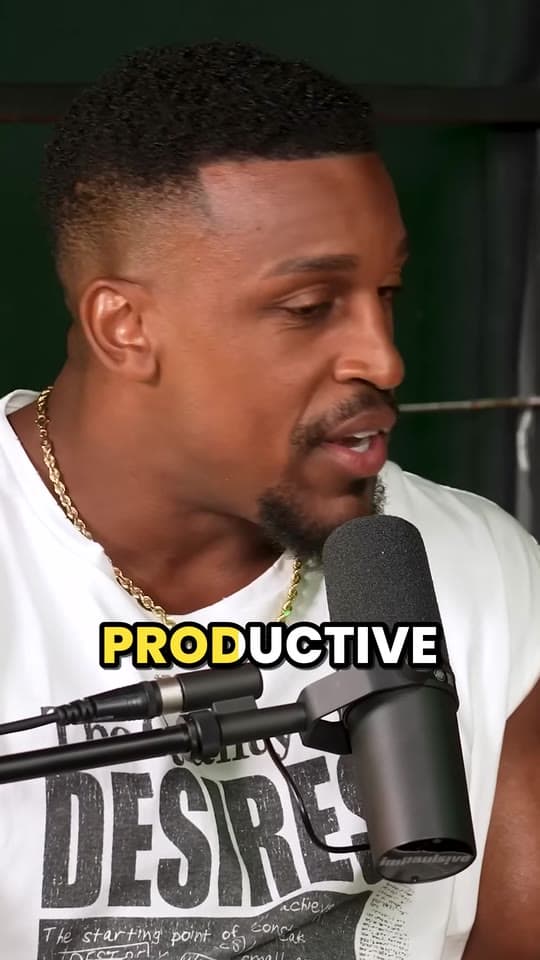
An example: 8 seconds of IMPAULSIVE
Free, no watermark, and nothing to sign up for.
How to convert MOV to MP3
- Choose the MOV, or drop it on the player: from your iPhone's photos, your Mac's desktop or a camera's card.
- Drag the ends of the bar to keep only the part you want, or leave it for all of it.
- Pick MP3, M4A or WAV, and for MP3 or M4A a bitrate: 128 kbps for speech, 192 kbps for most things, 320 kbps for music.
- Press Convert, play the result and download it.
Which format for a MOV's sound
| Format | What it is | A minute is | Best for |
|---|---|---|---|
| MP3, 192 kbps | Compressed; plays on anything | about 1.4 MB | Sharing, podcasts, any player |
| M4A, 192 kbps | AAC, the sound an iPhone records | about 1.4 MB | Apple devices, a little better than MP3 |
| WAV | Uncompressed | about 12 MB | Editing, and camera MOVs with PCM sound |
MOVs, and the sound inside them
iPhone videos are MOVs with AAC sound: a lecture, a rehearsal, a voice you want to keep. The picture is HEVC or H.264, depending on the camera's format setting, but only the sound matters here.
Mac screen recordings are MOVs too, saved as “Screen Recording [date] at [time].mov”: a narrated demo or a call becomes an MP3 to listen to or send.
Cameras and recorders often put PCM sound in their MOVs, which is uncompressed. Choose WAV to keep every bit of it for an editor; choose MP3 to make it small.
Need the video as well?
To keep the video but in a format everything opens, the MOV to MP4 converter copies it into an MP4 without losing anything. To read what was said instead of listening, use video to text. And if the video is a long talk, Clyper takes the MOV as it is and turns its best moments into captioned clips.
Questions
How do I convert MOV to MP3?
Choose the MOV, leave MP3 and 192 kbps picked and press Convert to MP3. Drag the ends of the bar first to keep only part of it. Play the MP3 to check, then download it.
Can I get the sound from an iPhone video?
Yes. A video copied off an iPhone is a MOV with AAC sound. Choose it here and save its sound as an MP3, or as an M4A, which keeps it in the same kind of AAC an iPhone records.
The player can't show my MOV. Will it still work?
iPhone videos are often HEVC, which not every browser plays. Safari does, and so do Chrome and Edge on most recent computers. If the player stays blank, open this page in one of them.
Should I pick MP3 or M4A for an iPhone video?
M4A if it's staying on Apple devices or going into a modern app: it's AAC, made to sound better than MP3 at the same size. MP3 if it has to play on anything, from a car stereo to an old phone. Both at 192 kbps are about 1.4 MB a minute.
What about a MOV from a camera?
Cameras and recorders often put uncompressed PCM sound in their MOVs. To edit it, pick WAV, which keeps it uncompressed. To share it, MP3 at 192 or 320 kbps.
Is the MOV uploaded?
No. It's read and converted by your browser on your device, and the audio file is saved straight to it. Free, with nothing to sign up for.
Sources
Read on November 7, 2026.
Filmed a talk on your iPhone? Clip it
Upload the MOV as it is, or paste a YouTube link. Clyper finds the moments worth posting, frames each one vertically on whoever is talking and captions every word: up to 30 clips.
See plans and pricing


Guides
- Making clipsHow to edit a podcast (audio or video), step by stepThe order to edit in, the loudness and export settings the platforms ask for, video podcast specifics, how long it takes and the tools for each step.12 min read
- GrowingHow to grow a podcast with short clipsWhat to clip from each episode, how to turn viewers into listeners, a rhythm to post on, and a workflow for a weekly show.5 min read
- Making clipsHow to clip a podcast into short videosFind the moments in an episode, cut them to stand alone, frame the speakers and caption every word.5 min read