AI Shorts generator
The AI Shorts generator that cuts Shorts from the videos you've already made
Paste a YouTube link. Clyper's AI watches the whole video, picks the moments that work as Shorts, cuts each on whole sentences, frames whoever's talking in 9:16 and captions every word: up to 30 Shorts from one upload, each scored for how well it stops the swipe.
- No watermark
- 1080 × 1920 exports
- Captions in 50+ languages
- Up to 30 clips per video
How it works
- 1
Paste your video's link
Any public or unlisted YouTube video or saved live stream, up to 4 hours. Or upload the file.
- 2
The AI makes the Shorts
Moments of 20 to 60 seconds that stand alone, framed on the speaker, captioned and scored for their hook.
- 3
Upload them to YouTube
Post the top scorer first, link it to the full video and keep one for each day of the week.
What you get
- Scored for the swipeA hook score from 0 to 100 on the opening that decides whether people stay.
- Short, and whole20 to 60 seconds, from hook to payoff, well inside Shorts' 3 minutes.
- Full-screen 9:161080 × 1920, following whoever's talking, so the Short fills the phone.
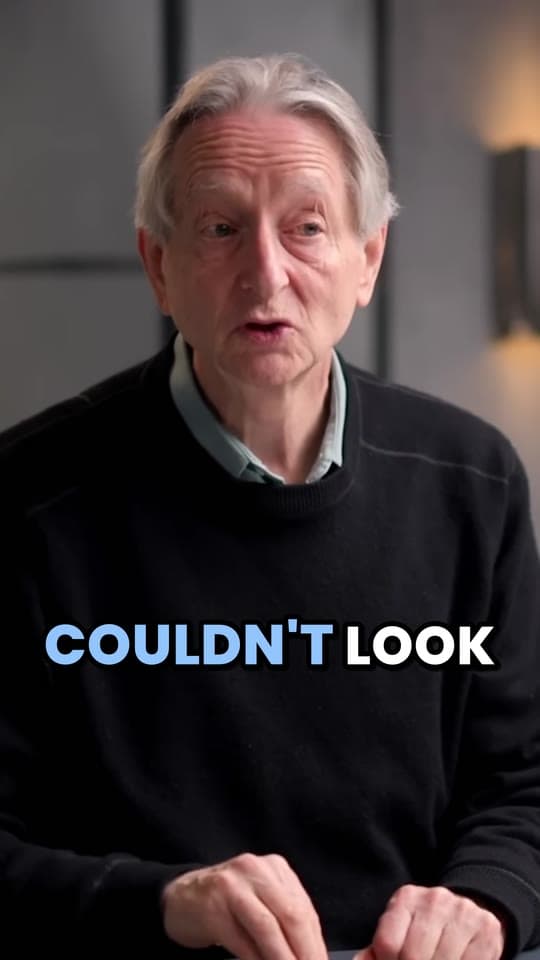
- Captions clear of the buttonsWord-by-word captions in 5 styles, above the title and channel name YouTube shows.
- Made to send people backEvery Short is from your own video, so it can link to the full one as its related video.
- Your final cutTrim to the word, extend either end by up to 15 seconds or fix a caption, at no extra cost.
“Went from an hour per clip to under 2 minutes. Still can’t believe it.”
 Hom Nurkil, solo creator · 90 sec/clip
What a Short needs, and what the AI does about it
YouTube has said what decides a Short's reach: how many people choose to watch it rather than swipe away, how long they stay and how much of it they see, then likes and surveys. So a Short lives or dies in its first second and its last. Here's how Clyper's AI works toward each:
- The first line. Every Short starts on a line that makes people need the next one, and its hook score rates exactly that. Post the highest first.
- A reason to stay. It cuts whole moments, from setup to payoff, so a Short ends when the point lands and doesn't trail off. Most run 20 to 60 seconds: a Short can be up to 3 minutes, but one people watch to the end does better than a longer one they leave.
- A full screen. 9:16 at 1080 × 1920, on whoever's talking, cutting between people as a conversation moves.
- Words people can read with the sound off, placed above the title and channel name at the bottom of the Shorts player. Check a frame with the safe zone checker.
Everything YouTube has said about ranking, and how views are counted now, is in how the YouTube Shorts algorithm works.
Shorts from your own videos are the safe kind
YouTube says Shorts cut from your own long videos aren't penalized, and that since October 2026 channels that mostly re-upload other creators' videos will likely get less reach in the Shorts feed. Clyper works from your footage, so every Short is yours. Clipping someone else's? Do it only with their permission, through a clipping campaign or their own program.
A Short from your own video can also send viewers to it: add the full video as the Short's related video in YouTube Studio and it shows as a link under your handle. The steps are in how to link a YouTube Short to a video.
How many Shorts from one upload
| Your video | Shorts, up to | A Short a day for | Credits |
|---|---|---|---|
| 10 minutes | 5 | 5 days | 10 |
| 20 minutes | 10 | 10 days | 20 |
| 45 minutes | 22 | 22 days | 45 |
| 1 hour | 30 | 30 days | 60 |
| 2 hours | 30 | 30 days | 120 |
Up to one Short for every 2 minutes of video and 30 in all, and you choose how many. On a weekly upload schedule, a 20-minute video already fills the week with a Short a day. How often to post is in how often to post.
The title, the thumbnail and the rest
- Title: each Short comes with the moment's title, which you can use as a starting point. Write it for search as well as the feed: see YouTube Shorts SEO.
- Thumbnail: it shows wherever Shorts appear as tiles, like your channel's Shorts tab. Make one with the free Shorts thumbnail maker, and see how to change a Shorts thumbnail.
- The same files elsewhere: every Short is a 9:16 MP4 with no watermark, so it posts as it is on TikTok and Reels. See YouTube to TikTok and YouTube to Reels.
Two kinds of AI Shorts generator
“AI Shorts generator” means two different tools. Some write a script from a prompt and build a Short from AI voices, stock footage or generated images. Others, like Clyper, cut Shorts from a video you already have. Clyper is the second kind: it adds no AI voices, faces or footage, so your Shorts are you, at your best moments.
If you have long videos, that's the faster route to Shorts that sound like your channel. If you'd rather not show your face at all, see making money on YouTube without showing your face. Turning a video into Shorts step by step, by hand or with Clyper, is on YouTube to Shorts.
What it costs
A credit is a minute of video, so a plan is how much video you can clip in a month, however many clips it makes.
Starter
$20/mo
200 minutes, about 100 clips
Pro
$19/mo yearly
600 minutes, about 300 clips
Studio
$48/mo yearly
2,000 minutes, about 1,000 clips
Also as 2× or 4×, for more of both
Questions
What is the best AI Shorts generator?
If you have long videos, one that cuts Shorts from them rather than making new ones from a prompt. Clyper does that: it picks the moments, cuts them on whole sentences, frames whoever's talking, captions every word and scores every Short's hook, for up to 30 Shorts a video with no watermark.
Is there a free AI Shorts generator?
Clyper is paid, from Starter at $20 a month, with no free plan or trial. Free tools here help with single steps in your browser: the vertical video converter crops a part of a video to 9:16, and the Shorts thumbnail maker makes its cover. YouTube Studio can also cut a Short from your own video by hand.
Can AI make YouTube Shorts from a long video?
Yes. Paste the video's link into Clyper: its AI reads the whole transcript, picks the moments that stand alone and turns each into a vertical, captioned Short of 20 to 60 seconds, up to 30 from one video of up to 4 hours.
How long can a YouTube Short be?
Up to 3 minutes, square or vertical. Clyper's Shorts run 20 to 60 seconds, one moment from hook to payoff, and you can extend either end in the editor.
Will Shorts cut from my videos hurt my channel?
No: YouTube says Shorts cut from your own long videos aren't penalized, and they can link to the full video as their related video. What it limits is channels that mostly re-upload other creators' videos.
Does Clyper upload the Shorts to YouTube?
No. You download the MP4s and upload them in YouTube Studio or the app, where you add the title, the related video and the thumbnail.
Turn your last upload into a week of Shorts
Paste its YouTube link. Clyper's AI picks the moments, frames them 9:16 on whoever's talking and captions every word: up to 30 Shorts, sorted so you post the strongest first.



Learn more
- GrowingHow the YouTube Shorts algorithm works in 2026What YouTube says the Shorts feed measures, how views are counted now, and what that means for openings, length, titles and posting.13 min read
- GrowingHow to link a YouTube Short to your long videoAdding a related video to a Short so viewers can tap through to the full video, and how to use it to grow.11 min read
- GrowingYouTube Shorts SEO: titles, descriptions and hashtags that helpHow Shorts get found in search, and how to write the title, description and hashtags so yours do.11 min read

Free tools
- Shorts thumbnail makerMake a 9:16 cover for a Short, a TikTok or a reel: a frame of your video with a bold title, at the sizes the apps suggest.
- Safe zone checkerCheck your clip against TikTok, Reels and Shorts' buttons and captions before you post.
- YouTube Shorts money calculatorSee what YouTube Shorts pay for your views, from the ad revenue Shorts share with creators in the Partner Program.