What is aspect ratio?
Updated
From Clyper, the AI clipping tool that turns long videos into captioned vertical clips for TikTok, Reels and Shorts.
Get startedAspect ratio, defined
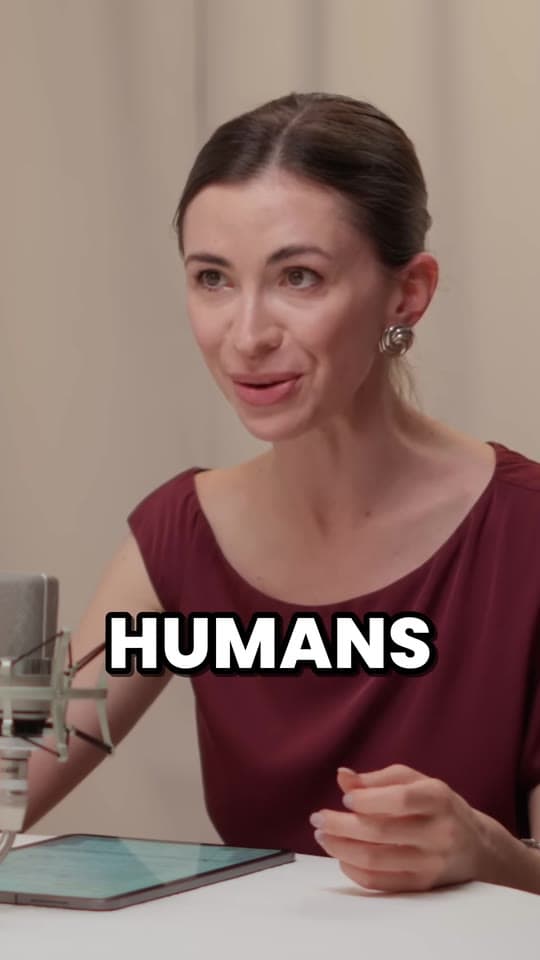
Aspect ratio is the shape of a picture or video: its width compared with its height, written as two numbers like 16:9. A regular YouTube video is 16:9, wider than it is tall. TikTok, Instagram Reels and YouTube Shorts are 9:16, the same shape turned upright. Feed posts are often 1:1, square, or 4:5, a little taller than wide.
The common aspect ratios, and what each is for
| Ratio | Name | A size at it | Used for |
|---|---|---|---|
| 16:9 | Widescreen | 1,920 × 1,080 | YouTube videos, TVs, most cameras and screens |
| 9:16 | Vertical | 1,080 × 1,920 | TikTok, Instagram Reels, YouTube Shorts and Stories |
| 1:1 | Square | 1,080 × 1,080 | Instagram and Facebook feed posts, profile pictures |
| 4:5 | Portrait | 1,080 × 1,350 | Instagram and Facebook feed posts |
| 4:3 | Standard | 1,440 × 1,080 | Older TVs, iPads, many phone photos |
| 21:9 | Ultrawide | 3,440 × 1,440 | Ultrawide monitors, a cinema look |
The ratio is only the shape; the size is how many pixels fill it. 1,920 × 1,080 and 1,280 × 720 are both 16:9, one sharper than the other. For short videos, the size to export is 1,080 × 1,920: 9:16 at full HD.
How to work out a video's aspect ratio
Divide the width and the height by the largest number that goes into both. 1,920 × 1,080 divides by 120 into 16:9; 1,080 × 1,350 divides by 270 into 4:5. Some sizes don't reduce to small numbers, so people quote them as a decimal instead: 1,280 × 544 is about 2.35:1:1, a cinema shape.
To get the other side at the same ratio, multiply: a 9:16 video 1080 pixels wide is 1080 × 16 ÷ 9 = 1920 tall. The free aspect ratio calculator does all of this for any size, finds the common ratio it's closest to, and gives the crop that makes it another shape.
Which aspect ratio each app plays
- YouTube videos: 16:9. YouTube calls it the standard ratio on a computer, and its player adapts to other shapes. It asks you not to add padding or black bars to the video yourself, because the player can't resize around them.
- YouTube Shorts: square or vertical. YouTube treats an upload of up to 3 minutes with a square or vertical aspect ratio as a Short, and says to use a wider ratio, such as 16:9, to keep a video out of Shorts.
- TikTok and Instagram Reels: 9:16, 1,080 × 1,920, filling a phone screen held upright.
- Instagram feed posts: usually 4:5, at 1,080 × 1,350, or square 1:1 or landscape 1.91:1.
Every size for every app, Stories and thumbnails included, is in video sizes for TikTok, Reels and Shorts.
Changing a video's aspect ratio: crop, fit or reframe
A video can't change shape without losing something. There are three ways to choose what:
- Crop: cut the sides off. A 9:16 crop of a 1,920 × 1,080 video keeps 608 of its 1,920 pixels across, about 32%, so anyone outside that strip is cut off.
- Fit: shrink the whole picture into the new shape and fill the rest with black bars or a blur. Nothing is lost, but the picture is small.
- Reframe: crop, but move the crop as the video plays, to follow whoever's talking. It's how a podcast or interview becomes a vertical clip without losing the speaker. More in speaker tracking.
Questions
What does 16:9 mean?
That a picture is 16 units wide for every 9 units tall: the standard widescreen shape of YouTube videos, TVs and most cameras. 1,920 × 1,080 and 3,840 × 2,160 are both 16:9.
What aspect ratio is TikTok?
9:16, vertical, usually 1,080 × 1,920 pixels. Instagram Reels and YouTube Shorts use the same shape, so one 9:16 file works on all three.
How do I find a video's aspect ratio?
Divide its width and height by the largest number that divides both: 1920 × 1080 becomes 16:9. Or put the size into a free aspect ratio calculator, which also names the common ratio it's closest to.
Is 9:16 the same as 1080 × 1920?
1080 × 1920 is one size at 9:16, the usual one for short videos. 720 × 1280 is 9:16 too, just with fewer pixels.
How do I change a video from 16:9 to 9:16?
Crop it, fit it inside black bars, or reframe it so the crop follows the speaker. Reframing keeps the person in the shot and fills the screen, which is what an AI clipping tool like Clyper does for every clip.
Sources
The apps' rules are from their own pages, read on October 28, 2026. They change from time to time, so check them before you rely on one.