What is speaker tracking?
Also called Face tracking, Active speaker detection, Auto framingUpdated
From Clyper, the AI clipping tool that turns long videos into captioned vertical clips for TikTok, Reels and Shorts.
Get startedSpeaker tracking, defined
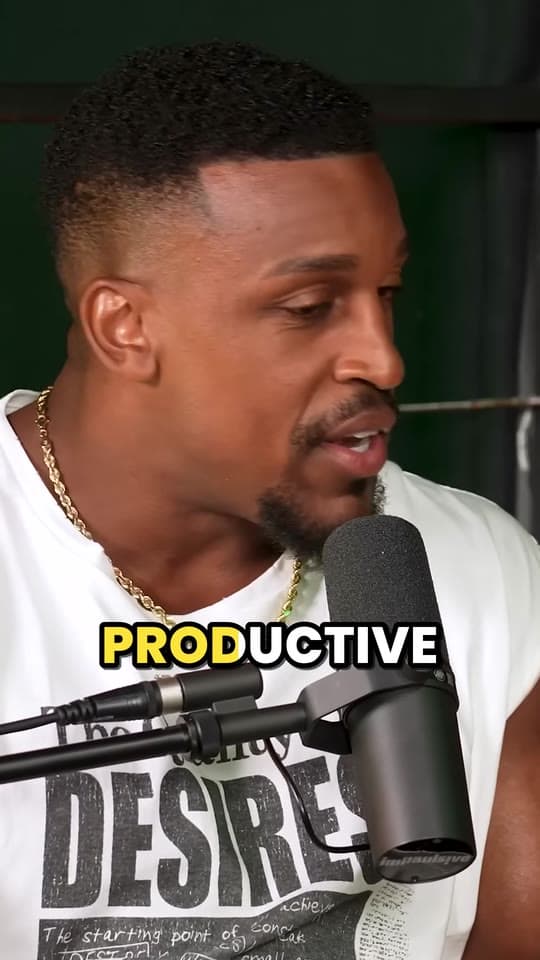
Speaker tracking is how an AI video tool keeps whoever is talking in the frame when it crops a wide 16:9 video to a vertical 9:16 one. It finds the faces in each shot, works out which person is speaking and moves or cuts the frame to them, switching as people take turns.
How speaker tracking works
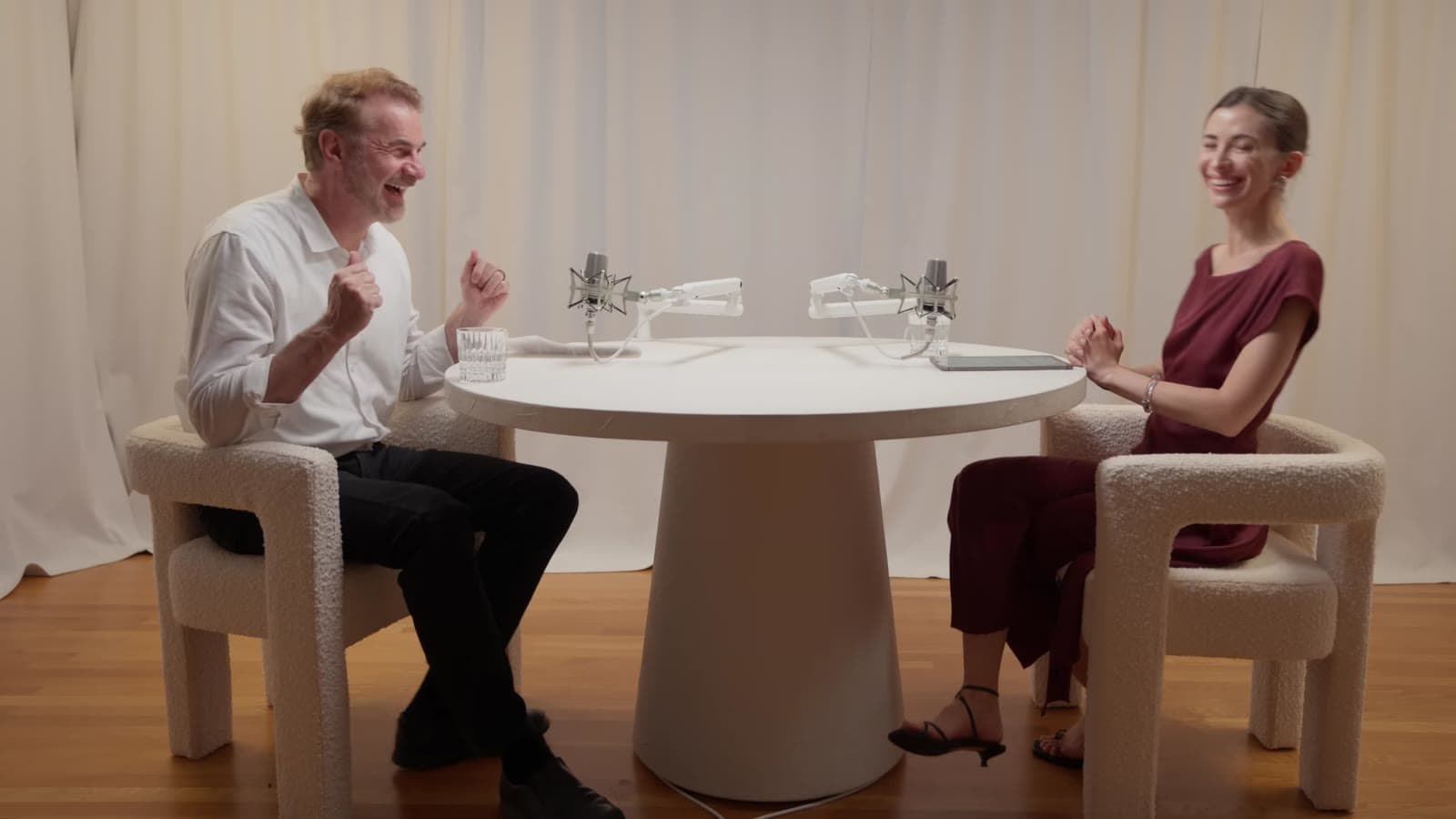
A 9:16 crop of a 16:9 video keeps about 32% of its width. On a talking head video with one person in the middle, that's enough. On a two-person podcast filmed wide, the frame has room for one face, not both, and speaker tracking decides which, moment by moment. In Clyper it works in four steps:
- Split the clip at camera cuts. Each shot gets its own framing, changing exactly when the edit does.
- Find and follow the faces. Faces are detected through each shot and linked into one track per person, so the tool knows who is who as they lean and turn.
- Work out who's talking. When people sit too far apart to share the frame, it measures the movement around each person's mouth. This is the active speaker detection part.
- Move a steady virtual camera. It holds still while the face stays near the middle and eases over when it moves away. When the speaker changes, it cuts to them rather than panning across the room.
Switching is the hard part. A frame that jumps to the listener on every “yeah” is worse than no tracking at all, so Clyper waits until the other person is clearly talking, then switches from the moment they started, so their first words aren't lost. People sitting close enough share the frame instead of being cut apart.
Face tracking vs speaker tracking vs auto reframe
The words get used for each other, but they name different parts of the job:
- Face tracking follows a face through the video. With one person on camera, that's all you need. With two, it has to pick one, and it doesn't know who's talking.
- Active speaker detection decides which of the visible faces is talking at each moment. It's the decision, not the framing.
- Speaker tracking puts the two together: track the faces, pick the speaker, move the frame.
- Auto reframe is the whole job of turning a wide video into a vertical video, for any footage. Speaker tracking is the part of it built for people talking.
By hand, the same job is keyframing: cut at every camera change and every change of speaker, and move the crop each time. How editors do it, and their own auto reframe tools, are in how to convert a horizontal video to vertical.
Two people, a group, a stream: what tracking does with each
| In the shot | What Clyper's tracking does |
|---|---|
| One person | Follows them as they lean, turn or walk |
| A few people sitting close | Keeps them all in the frame |
| Two people too far apart to fit | Frames whoever's talking and switches when that changes |
| No one | Holds the middle of the picture |
| A streamer's webcam over gameplay | Stacks the webcam on top, 1080 × 608 (a webcam's 16:9), and the middle of the game below, with the captions on the seam |
Streams are where following the face is the wrong move: a small facecam in a corner, blown up to fill a vertical frame, crops the game away. So when Clyper sees a small face that stays put in a corner, it switches the clip to the stacked layout instead. To lay out one clip that way yourself, use the free split screen video maker.
Where speaker tracking still slips
- A voice with no face, like an off-camera host or a caller. Tracking can only frame the faces it can see.
- Crosstalk. When two people talk over each other, it holds on one rather than flicking between them.
- Turned heads and wide shots. A face in profile, or a small one at the back of a stage, is harder to read.
- The reaction is the moment. Sometimes the listener's face is what the clip is about, and tracking frames the speaker.
Before you post, skip through each clip to where the speaker changes. Clyper's editor trims, extends and fixes captions but doesn't move the crop, so if a clip is framed on the wrong person, recut that part with the free vertical video converter.
Questions
What is active speaker detection?
Working out which of the faces on screen is talking at each moment, for example from the movement around each person's mouth. AI clipping tools use it to decide whom to frame when a wide video is cropped vertical and the people in it are too far apart to fit.
What's the difference between face tracking and speaker tracking?
Face tracking follows a face. Speaker tracking also works out which face is talking and moves the frame to them, switching as people take turns. With one person on camera they do the same thing; with two or more, only speaker tracking keeps up with the conversation.
Does speaker tracking work with more than two people?
Yes. In Clyper, people sitting close enough to share the vertical frame stay in it together; when they're spread out, it frames whoever is talking and switches as the conversation moves.
Can I change the framing of a clip in Clyper?
Not in the editor: it trims, extends and fixes captions, but doesn't move the crop. To reframe one part of a video by hand, use the free vertical video converter.