Video sizes for TikTok, Reels and Shorts in 2026
TikTok, Instagram Reels and YouTube Shorts all play vertical video full screen, and each has its own rules for size, length and file. Here are the sizes to make, what each app takes, where captions are safe, and what to do with a 16:9 video.
Updated 7 min read
In short
- Make short videos 1080 × 1920 pixels, a 9:16 shape: it fills the screen on TikTok, Reels and Shorts.
- Shorts can be up to 3 minutes, Reels up to 20, and TikToks up to 60 when uploaded in the app.
- Keep captions inside the 820 × 1260 area clear of all three apps' buttons and text, which cover the edges, most of all the bottom 420 pixels.
- A 16:9 video fills only 32% of a vertical screen. Crop it to the person talking rather than adding bars: Instagram shows reels with borders less often.
On this page
The sizes at a glance
| Shape | Size to make | Smallest | Longest | |
|---|---|---|---|---|
| TikTok | 9:16 | 1080 × 1920 | 720 × 1280 on the web | 60 min in the app, 30 on the web |
| Instagram Reels | 9:16 (takes 1.91:1 to 9:16) | 1080 × 1920 | 720 pixels, 30 fps | 20 min |
| YouTube Shorts | 9:16 or square | 1080 × 1920 | Not published | 3 min |
Check a video against all three at once, with its shape, size, length and file, in the free video size checker. For how long a clip should actually run, see how long a short video should be.
Why 1080 × 1920
9:16 is a phone screen held upright, so it's the shape that fills the feed on all three apps. 1080 pixels wide clears every app's bar: Instagram asks for at least 720, TikTok on the web for 720 × 1280, and TikTok's Creator Rewards Program asks for 1080p or higher for its additional reward. You can upload bigger, but 1080 × 1920 is the size that meets every rule.
- Frame rate. Instagram asks for at least 30 fps. YouTube asks you to upload at the frame rate you recorded at, such as 24, 30 or 60. TikTok doesn't publish one. Keep the frame rate you recorded at, as long as it's 30 or more.
- File. MP4 with H.264 video and AAC sound works everywhere: it's what YouTube recommends, and one of the two formats TikTok takes on the web, with WebM. TikTok's web upload takes files under 10 GB.
- Don't shrink it first. All three apps re-encode what you upload, so post the best copy you have. Compress only to send a video somewhere with a size limit, like Discord or email, with the video compressor.
What each app takes
- TikTok plays vertical videos full screen, and horizontal ones in its full screen mode. Uploads on the web must be MP4 or WebM, at least 720 × 1280, up to 30 minutes and under 10 GB. In the app you can upload up to 60 minutes and record up to 10. TikTok also asks you to keep the picture centered and clear of its buttons.
- Instagram Reels takes shapes from 1.91:1 to 9:16, at 30 fps and 720 pixels or more, up to 20 minutes. Reels over 3 minutes aren't recommended to new audiences, and Instagram shows reels less often when they're blurry or low resolution, muted, or have borders, logos or watermarks. A reel's cover is 420 × 654 pixels.
- YouTube Shorts are any square or vertical video up to 3 minutes. A wider video, like 16:9, is posted as a regular video instead, however short. YouTube recommends 9:16 for a Short's custom thumbnail.
Where captions are safe
Each app lays its buttons, username, caption and sound over the video. Anything under them, like a caption or a face, gets covered. None of the apps publishes exact margins, and they move a little between phones and app versions, so these are rounded and on the generous side, on a 1080 × 1920 frame:
| Top | Bottom | Right | What's at the bottom | |
|---|---|---|---|---|
| TikTok | 160 px | 420 px | 120 px | Username, caption and sound |
| Instagram Reels | 220 px | 420 px | 120 px | Username, caption and audio |
| YouTube Shorts | 240 px | 380 px | 200 px | Title, channel and Subscribe |
To be clear on all three, keep text inside a 820 × 1260 area: 240 pixels from the top, 420 from the bottom, 60 from the left and 200 from the right. Captions sit best in the lower middle, just above the bottom margin. Put your own clip over each app's layout with the safe zone checker.
What to do with a 16:9 video
Most long videos are 16:9: podcasts, streams, interviews, anything shot for YouTube. There are three ways to make one vertical, and they look very different.
- Fit it, with bars. The whole picture stays, shrunk to the width of the screen, with blank space above and below. It fills only 32% of the screen, so faces are small, and the bars count against it: Instagram shows reels with borders less often, and YouTube advises against adding bars to a video at all.
- Crop the middle. A 9:16 window from the center of a 1920 × 1080 frame is 608 × 1080 pixels, scaled up to 1080 × 1920. It fills the screen but keeps only 32% of the picture, so anyone off center is cut out.
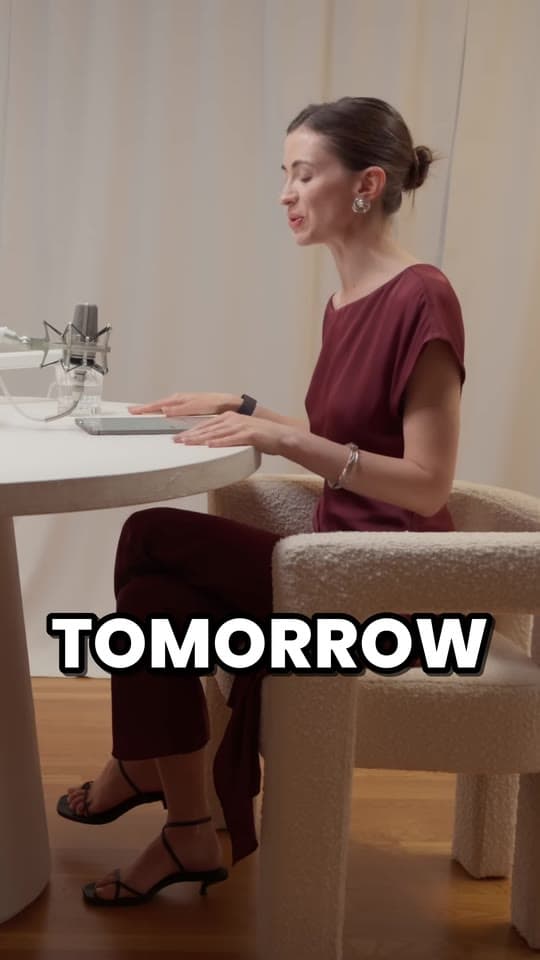
- Reframe on the speaker. The same 608 × 1080 window, moved to whoever's talking as the video plays. It fills the screen and keeps the person who matters in it.
| Shape | For | Crop from 1920 × 1080 | Keeps | Then scale to |
|---|---|---|---|---|
| 9:16 | TikTok, Reels and Shorts | 608 × 1080 | 32% | 1080 × 1920 |
| 4:5 | An Instagram portrait post | 864 × 1080 | 45% | 1080 × 1350 |
| 1:1 | A square post | 1080 × 1080 | 56% | 1080 × 1080 |
Work out the crop for any size with the aspect ratio calculator, or crop or fit a video free in your browser with the vertical video converter. For the whole process, from a long YouTube video to Shorts, read how to turn a YouTube video into Shorts.
Instagram posts, YouTube videos and thumbnails
Outside the full screen feeds, the shapes change. Instagram keeps a photo at its own resolution, up to 1080 pixels wide, when its shape is between 1.91:1 and 3:4: at 1080 wide, from 1080 × 566 to 1080 × 1440. YouTube's standard on a computer is 16:9, and its player adapts to other shapes on its own.
| Shape | Size | |
|---|---|---|
| Instagram and Facebook Stories | 9:16 | 1080 × 1920 |
| YouTube video (1080p) | 16:9 | 1920 × 1080 |
| YouTube video (4K) | 16:9 | 3840 × 2160 |
| Instagram portrait post | 4:5 | 1080 × 1350 |
| Instagram square post | 1:1 | 1080 × 1080 |
| Instagram landscape post | 1.91:1 | 1080 × 566 |
| Instagram post, tallest | 3:4 | 1080 × 1440 |
| YouTube thumbnail | 16:9 | 3840 × 2160, at least 640 wide |
| Shorts thumbnail | 9:16 | 2160 × 3840, at least 640 tall |
YouTube asks for thumbnails as large as possible, as JPG or PNG, up to 2 MB from a phone or 50 MB from a computer, since a thumbnail is also the preview in embedded players. 1280 × 720 is still 16:9 and well over the minimum, so it works.
Questions
What size is a TikTok video?
1080 × 1920 pixels, a 9:16 vertical shape, fills the screen. On the web, TikTok takes MP4 or WebM files of at least 720 × 1280, up to 30 minutes and under 10 GB.
What aspect ratio are YouTube Shorts?
Square or vertical: 9:16, at 1080 × 1920, fills the screen. Any square or vertical video up to 3 minutes is a Short; a wider one, like 16:9, is posted as a regular video.
What size are Instagram Reels?
Make them 1080 × 1920 (9:16). Instagram takes reels from 1.91:1 to 9:16, at least 720 pixels and 30 fps, up to 20 minutes.
What resolution should short videos be?
1080 × 1920. It's above Instagram's 720-pixel minimum, meets TikTok's 1080p bar for Creator Rewards' additional reward, and fills the screen on all three apps.
How do I make a horizontal video vertical?
Crop it to 9:16, fit it with bars, or reframe it on whoever's talking. Cropping the middle of a 1920 × 1080 video keeps 32% of the picture; bars keep all of it but fill only 32% of the screen. The vertical video converter does either free in your browser, and Clyper reframes on the speaker.
Where should captions go on TikTok, Reels and Shorts?
In the lower middle, above the bottom 420 pixels of a 1920-pixel-tall video and away from the right edge, where the apps put their buttons and text. The safe zone checker shows each app's layout over your clip.
Sources
The apps' rules are from their own pages, read on October 14, 2026. They change from time to time, so check them before you rely on one.
- TikTok Support: creator tools (uploading on the web)
- TikTok Support: camera tools
- TikTok Creator Academy: elements of a TikTok video
- TikTok Support: how Creator Rewards work
- Instagram Help: reel size and aspect ratios
- Instagram Help: record a reel
- Instagram Help: what kind of reels you may see
- Instagram Help: photo resolution
- YouTube Help: upload YouTube Shorts
- YouTube Help: three-minute YouTube Shorts
- YouTube Help: video resolution and aspect ratios
- YouTube Help: recommended upload encoding settings
- YouTube Help: add custom thumbnails