How to turn a YouTube video into Shorts, TikToks and Reels
One long YouTube video can become a week of Shorts, TikToks and Reels. Here's how to do it by hand, the size and settings to use, and how to do it in a few minutes instead.
Updated 5 min read
In short
- Short-form clips are 1080 × 1920 pixels (9:16), and most run 20 to 60 seconds.
- Cropping a 16:9 video to 9:16 keeps about 32% of the width, so the crop has to follow the speaker.
- Each clip needs captions, a strong first second and nothing important under the apps' buttons.
- The same file works on Shorts, TikTok and Reels, so you only export once.
On this page
The quick way: from a link
- Copy the video's YouTube link. It can be a public or unlisted video from 1 minute to 4 hours long.
- Paste it into Clyper. It finds the best moments and makes up to 30 vertical clips, each with word-by-word captions and a hook score.
- Check each clip in the editor: trim it to the word, extend either end by up to 15 seconds, fix a caption or change its style.
- Download the clips at 1080p, with no watermark, and post them on Shorts, TikTok and Reels.
If you already have the file, upload it instead: MP4, MOV, WebM or MKV, up to 4 GB. More on how it works in YouTube to Shorts with Clyper.
The manual way, step by step
If you'd rather edit by hand, this is the process for each clip:
- Get the video. Your own video, or one you have permission to clip, at the best quality you can.
- Find the moment. Skim the video and its transcript, and note where the moment starts and ends. The podcast guide covers what to look for.
- Set up a vertical project. In your editor, start a 1080 × 1920 sequence at the video's frame rate.
- Crop to 9:16. Scale the video to fill the height and move it so the speaker is in frame. Keyframe the position when they move or someone else talks. For a part where nobody moves, the free video cropper does it in your browser.
- Cut it tight. Take out the setup, the long pauses and the filler. Start on the hook and end on the payoff.
- Add captions. Generate them, fix the mistakes, and style them big and readable, a few words at a time.
- Check the safe zone. Keep captions and faces clear of the apps' buttons and text, with the safe zone checker. Work out any other size with the aspect ratio calculator.
- Export an MP4 at 1080 × 1920.
That's 30 to 60 minutes a clip for most people, which is why clippers who post every day hand steps 2 to 7 to a tool. To share a moment rather than post it, see how to clip a YouTube video; to film a Short from scratch, how to make YouTube Shorts; and for how a tool does those steps, how AI clip generators work.
The right size and settings
| Setting | Use |
|---|---|
| Shape | 9:16, vertical |
| Size | 1080 × 1920 pixels |
| Length | 20 to 60 seconds for most clips |
| Frame rate | The same as the original video |
| File | MP4 (H.264 video, AAC audio) |
| Captions | Burned into the video, so they show in every app |
The same file works on Shorts, TikTok and Reels, so you only need to export each clip once.
Cropping 16:9 to 9:16
A 1920 × 1080 frame cropped to 9:16 at full height is 608 pixels wide: about 32% of the original. Two-thirds of every shot is cut away, so what you keep matters.
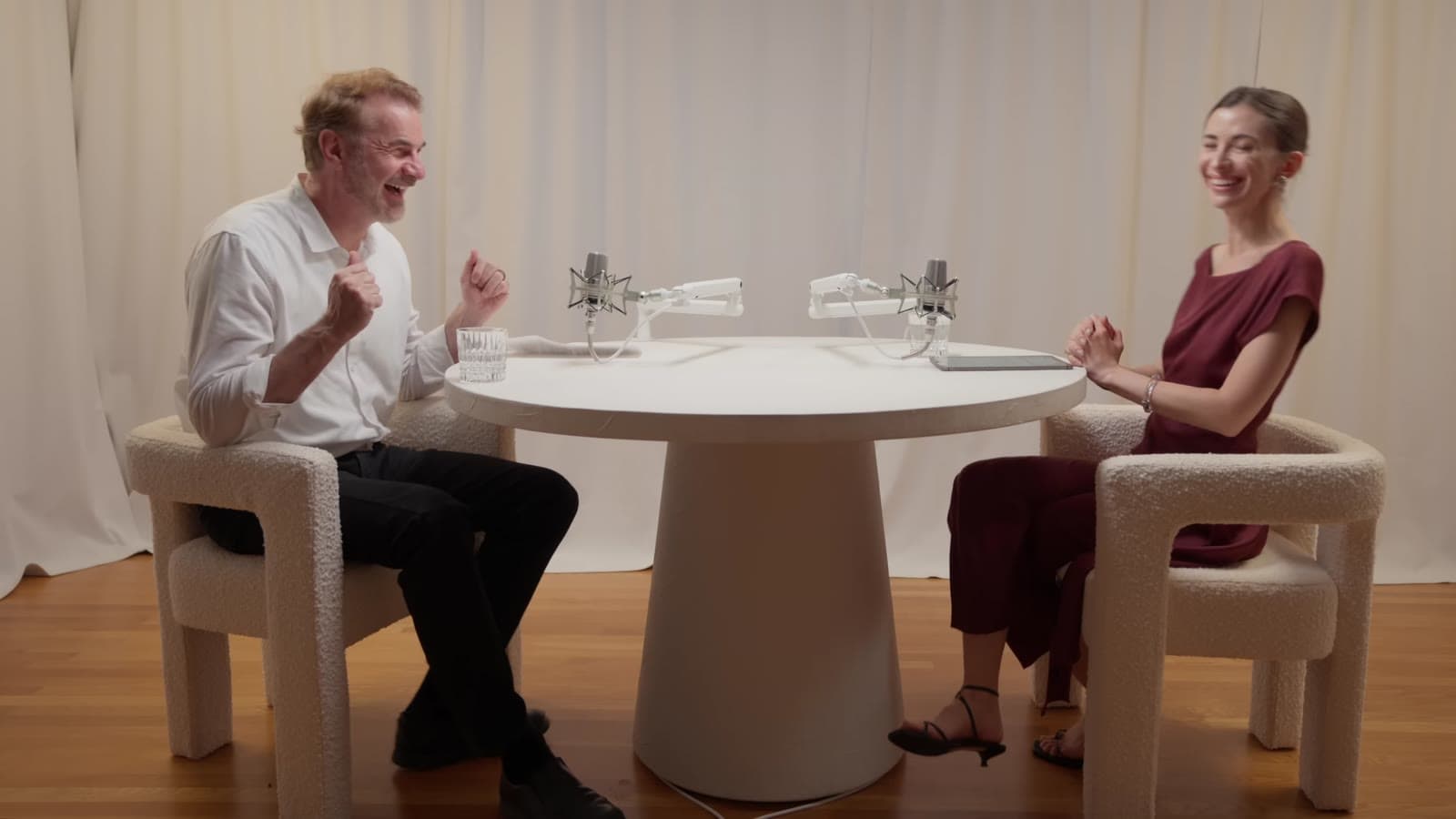
- Keep the face in the upper half, with room for captions below it.
- Follow the speaker. When they lean or walk, the crop has to move with them, smoothly.
- Switch with the conversation. In an interview, cut to whoever's talking.
- For screens and gameplay, stack the two: the face on top, the screen below.
Clyper crops every clip to 9:16 and follows the speaker as they move, so you don't keyframe anything.
Which videos clip well
The best sources are videos of people talking: podcasts, interviews, streams with a camera on the streamer, commentary, talks and tutorials. They're full of moments that work on their own.
Videos that depend on wide shots, on-screen text or a long build-up are harder: the crop loses what matters, or the moment needs too much context.
Posting on each app
- YouTube Shorts. Upload the vertical file from the YouTube app or YouTube Studio. If the clip is from your own channel, link it to the full video, so viewers can find the rest.
- TikTok. Upload in the app or on the web, and write a caption that adds to the clip's hook.
- Instagram Reels. Upload it as a Reel, and pick a cover frame that reads well on your profile.
Upload the file to each app rather than sharing from one to another, so no other app's watermark ends up on it. Then read how to make clips that go viral for what to do next.
Questions
What size is a YouTube Short?
1080 × 1920 pixels, a 9:16 vertical video. The same size works for TikTok and Instagram Reels.
Can I turn someone else's YouTube video into Shorts?
Only with permission, like a clipping campaign the creator runs, or if it's your own video. Otherwise your clips can be taken down for copyright.
Which YouTube links work in Clyper?
Any public or unlisted YouTube video from 1 minute to 4 hours long, including Shorts and finished livestreams that were saved. Private, members-only and age-restricted videos, and streams that are still live, don't work.
How many Shorts can I make from one video?
As many as you choose, up to one for every 2 minutes of video: a 30-minute video gives up to 15, and an hour or longer up to 30. On Auto, Clyper picks about one for every six minutes.
Do I need to download the video first?
Not with Clyper: paste the YouTube link and it does the rest. If you already have the file, you can upload it instead.