YouTube Shorts ideas: 16 to try, and how to find more
The best YouTube Shorts ideas are often in videos you've already made. Here are 16 YouTube Shorts ideas, grouped by where they come from: your long videos and podcasts, Shorts you film on their own, and faceless or clip channels. Each has its format, an example hook and who it suits, followed by where to find more ideas of your own.
Updated 12 min read


In short
- The easiest Shorts ideas are already in your long videos and podcasts: the best moment, a strong opinion, one tip, a story, a question answered.
- Ideas to film on their own: a quick tutorial, behind the scenes, a series in parts, answers to comments (YouTube lets you reply to a comment with a Short), a list, a before and after.
- Faceless channels can use screen tutorials, voiceover explainers and gameplay with commentary. Clips of other people's videos need permission, and rarely earn from YouTube's ads.
- Find more in your transcript, your comments, the spikes in your audience retention, the Trends tab's content gaps for Shorts, Ask Studio (the Inspiration tab is being phased out) and YouTube's search suggestions.
On this page
YouTube Shorts ideas: what makes a good one
A Short is watched by someone who didn't ask for it: the Shorts feed puts it in front of them, and they decide in a second or two whether to stay. So a good YouTube Shorts idea isn't a topic. It's one moment with a pull, and it passes four checks:
- One idea. One tip, one opinion, one story. A Short that tries to say three things loses people at the second.
- A first line that makes people stay. If you can't write the opening line, the idea isn't ready.
- A payoff. The answer, the result, the punchline: something that makes the watch worth it.
- It works alone. No “as I said earlier”, nothing that needs the rest of the video. And it fits in 3 minutes, though most ideas need far less.
The ideas below come in three groups. The first is the quickest by far, because the work of having the idea, filming it and saying it well is already done: it's sitting in your long videos.
Shorts ideas from your long videos and podcasts
Every long video has moments that stand on their own. These five kinds are the ones to look for. The hooks are made-up examples, to show the shape of each:
| Idea | Format | Example hook | Who it suits |
|---|---|---|---|
| The best moment | The part people would rewatch or send to a friend, cut so it starts on the action | “He had no idea the mic was still on.” | Podcasts, interviews, vlogs, streams |
| A strong opinion | One claim and the reason for it, in the speaker's own words | “Most productivity advice makes you slower.” | Commentary, business, coaching, interviews |
| One tip | A single step from a longer tutorial, with the result shown | “The one setting I change on every new camera.” | Tutorials, how-to and education channels |
| A story | A complete story: the setup, the turn and the ending | “The venue canceled on us two hours before the show.” | Podcasts, vlogs, interviews |
| A question answered | The question on screen, then the clearest answer from the video | “Do you need a new laptop to edit video?” | Q&A episodes, expert interviews, explainers |
A 30-minute interview usually holds several of these. Here are three Clyper found in one real interview, each a different kind of idea: a story, a question answered and an analogy that makes a hard point simple.
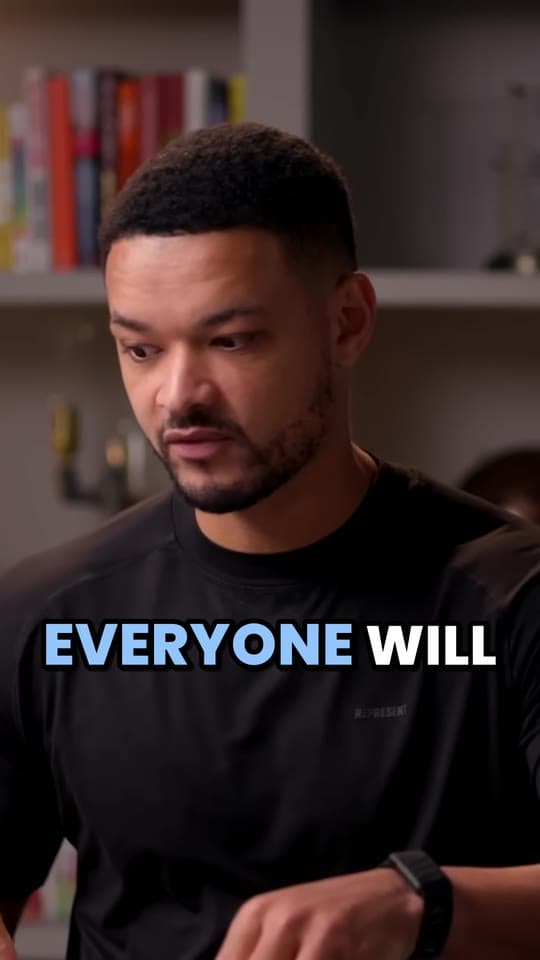
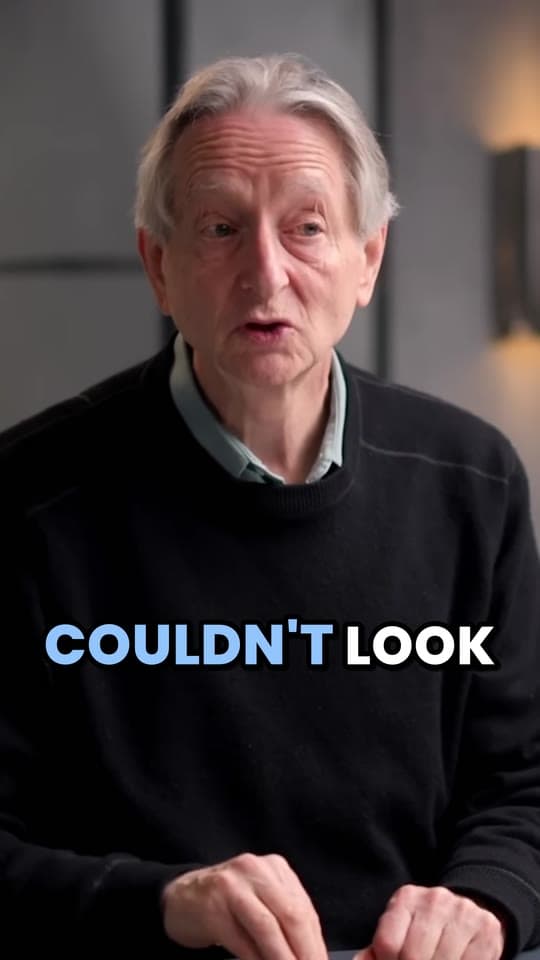
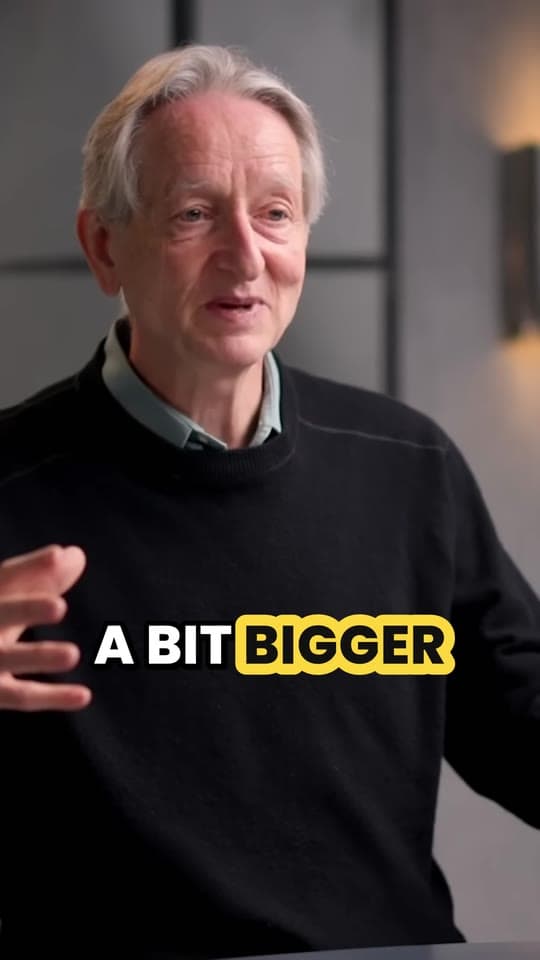
Clipping your own videos is safe ground: YouTube says you won't be penalized for using your own content in a Short. Link each Short to the video it came from as its related video (in YouTube Studio, open the Short and pick it under Related video; it needs advanced features), so viewers can tap through to the rest. For podcasts in particular, see podcast clips.
Finding these moments by hand means watching your own video again with a notepad, then trimming, reframing and captioning each one. Clyper does it from the YouTube link: it reads the transcript, picks the moments that stand on their own, cuts each on whole sentences, scores its hook, frames it 9:16 on whoever's talking and captions every word. You choose how many, up to one for every 2 minutes of video. More on YouTube to Shorts.
Shorts ideas to film on their own
When you're filming for Shorts, these six formats come with a built-in shape, so you're never starting from a blank screen. The hooks are made-up examples:
| Idea | Format | Example hook | Who it suits |
|---|---|---|---|
| A quick tutorial | The result first, then the steps, one per beat | “Fix a squeaky door in 30 seconds.” | Anyone who can teach a skill |
| Behind the scenes | How something gets made: the setup, the mess, the moment before | “What 6 hours of filming looks like for a 10-minute video.” | Makers, small businesses, channels with regular viewers |
| A series (“part 1”) | One project or story over several Shorts, each ending on what's next | “Day 1 of rebuilding a bike from a scrapyard. Part 1.” | Projects, challenges, stories too long for one Short |
| Q&A from comments | A viewer's comment on screen, answered on camera | “Someone asked if this works on old phones. Let's check.” | Any channel with comments to answer |
| A list | Three to five quick items, each with its own line on screen | “3 mistakes I made in my first year of freelancing.” | Advice, reviews, education |
| Before and after | The finished result, then where it started, then how | “This room took one weekend and $200.” | Makeovers, design, cooking, fitness, editing |
- Series. End each part on what happens next, and put “Part 1”, “Part 2” in the title and on screen, so people who find part 3 go looking for the rest. Make each part worth watching alone: YouTube's monetization rules allow a series as long as each video has its own storyline, focus or concept.
- Q&A from comments. YouTube lets you reply to a comment with a Short: in the app, tap Reply on the comment, then the Shorts icon, and the comment appears in your Short as a sticker you can move and resize. The person who wrote it is notified, and your Short shows under their comment.
- Tutorials and lists work best with the result first. People stay for the how once they've seen the what. If you script them, the free teleprompter scrolls your script at your reading pace, and its camera mode records you as you read.
Filming, editing and uploading step by step is in how to make YouTube Shorts.
Shorts ideas for faceless and clip channels
You don't need to be on camera. You do need the Short to be clearly yours, and the right to use what's in it. The hooks are made-up examples:
| Idea | Format | Example hook | Who it suits | Rights to check |
|---|---|---|---|---|
| A screen tutorial | Your screen recording and your voice, one task per Short | “The spreadsheet shortcut that saves me an hour a week.” | Software, coding, design | Your own recording: nothing to clear |
| A voiceover explainer | Your script and voice over footage, charts or maps | “Why every airport gate looks the same.” | History, science, money, how things work | Footage you made, or have the right to use |
| A gameplay moment with commentary | Your own play and your own voice, one moment per Short | “One hit away from losing the whole run.” | Gaming channels | The game publisher's rules for videos of its game |
| A creator's best moments | Moments from a creator's videos, cut, framed and captioned by you | “The moment the whole panel went quiet.” | Clip channels and clippers on campaigns | A campaign or the creator's written yes; it rarely earns from YouTube's ads |
| A reaction with your take | A few seconds of another Short or video, then your commentary | “Everyone missed what happens at the end of this.” | Commentary and review channels | YouTube's Remix tools, which credit the original; your commentary has to be the point |
The rights column matters more here than anywhere else in this guide:
- Clips of someone else's videos need permission: a clipping campaign, a creator's clip program or a written yes. Credit isn't permission, and fair use isn't a plan. See is clipping legal?
- Permission doesn't make it earn. YouTube doesn't share Shorts ad revenue on non-original Shorts, like unedited clips from others' shows, re-uploads and compilations with nothing added, even when the creator said yes. Its reused content policy judges the channel as a whole. That's why clippers are usually paid by campaigns, per view, rather than by YouTube. See YouTube's reused content policy, for clippers.
- Remix is YouTube's built-in way to react. Its Remix tools let you use part of another Short or video in yours (Cut takes a 1 to 5 second segment), credited in the Shorts player with a link to the original; creators can turn remixing off for their Shorts. For ads, a reaction can earn when you comment on the original; mostly silent reactions can't.
- Templates don't count as ideas. YouTube's inauthentic content rules don't let channels earn from image slideshows or templated storylines with little or no narrative or commentary, or from AI videos made with generic templates that look mass-produced. A voice, a script and a point of view of your own are what make a faceless Short yours.
More on faceless formats in how to make money on YouTube without showing your face, and on clip channels in how to start a clip channel.
How to find Shorts ideas of your own
Lists like the ones above get you started. These are where the ideas only your channel can make come from:
| Where to look | What it tells you | How to get there |
|---|---|---|
| Your transcript | The lines worth a Short: questions, numbers, “the mistake is”, a story's first sentence | YouTube Studio's captions, or a timestamped transcript from the free video to text converter |
| Audience retention: spikes and top moments | Spikes are parts viewers rewatched or shared; top moments are where almost no one left | YouTube Studio: Content, then Analytics on the video, then the Audience retention report (videos of 60 seconds or more, with 100 views or more) |
| Your comments | The questions people actually have, in their words, ready to answer with a Short | Reply, then the Shorts icon, in the app; or ask Ask Studio to summarize them |
| The Trends tab | Top searches from your audience, breakout videos from similar channels, and content gaps for Shorts: searches where viewers may want better Shorts | YouTube Studio: Analytics, then Trends. Some insights are limited to certain countries, languages and devices |
| Ask Studio | Ideas brainstormed from your channel, which you can save as idea cards | The Ask Studio icon at the top right of YouTube Studio, on a computer. Not for creators under 18, Official Artist Channels or made-for-kids channels |
| YouTube's search suggestions | What people type about your topic, in their own words | Start typing your topic into YouTube's search bar and read the suggestions |
What happened to the Inspiration tab? It's the “Get Inspired” page under Content in YouTube Studio, on a computer, and it suggests ideas, titles, thumbnails and outlines, in English only. YouTube started phasing it out gradually in August 2026, so not every channel still has it, and now points creators to Ask Studio to brainstorm instead. Whichever you use, treat AI ideas as a starting point: the ones that work are the ones you can say something about that nobody else can.
The richest source is still the first row. A transcript of a 30-minute video is thousands of words of you already talking about your topic; reading it for the lines that would make someone stop scrolling turns up more ideas than any list.
From idea to Short: the first line
The same idea can flop or travel depending on its first second. Before you film or cut, write the opening line, then check it against these:
- Start on the point. Open on the most surprising line, not the setup before it. In a clip from a long video, that often means starting a sentence or two later than feels natural.
- Make it readable with the sound off. Captions on every word, and the hook as text on screen in the first second.
- Keep the promise. If the hook asks a question, the Short answers it. A hook the Short doesn't pay off loses the viewer, and the next one.
- End on the payoff, not on “so yeah”. Cut the trailing words.
Stuck on the line? The free hook generator fills your topic into opening lines in 6 angles (story, advice, hot take, funny, curiosity and numbers), and hook examples for TikTok, Reels and Shorts has templates by type, with how to find the hook in a clip you already have.
Which ideas to make more of
You won't know which ideas work for your channel until you post them, so post enough to compare: a week of Shorts from one long video can test a story, a tip, an opinion and a question side by side. Then read YouTube Analytics:
- Stayed to watch: the share of times viewers stayed past the first seconds of a Short. It tells you whether the idea and its first line won the swipe.
- Top Shorts, in the Shorts tab of your channel's analytics: your most popular Shorts, so you can see which kinds of idea keep coming out on top.
- Subscribers, under Content in Analytics: how many subscribers Shorts brought you compared with your videos and posts.
When a kind of idea keeps winning, make more of it: if your stories beat your tips, look for stories in every video you make. For more on getting Shorts seen, read how to get more views on YouTube Shorts, and for how Shorts and long videos fit together, YouTube Shorts vs long videos.
Questions
What should my first YouTube Short be about?
The best moment of something you've already made, or one quick tip from what you know best. Both are easy to make well, and both show a stranger what your channel is about in seconds.
What are good YouTube Shorts ideas for beginners?
A quick tutorial with the result first, a list of three tips, a before and after, or a look behind the scenes of something you make. Each needs one idea, a phone and a strong first line.
Can I make YouTube Shorts without showing my face?
Yes. Screen recordings with your voice, voiceover explainers over footage you may use, and gameplay with your commentary all work, as long as the Short is clearly your own work rather than a template or a re-upload.
Can I post clips of other people's videos as Shorts?
Only with permission, like a clipping campaign or the creator's written yes. Even then, YouTube doesn't share Shorts ad revenue on unedited clips or re-uploads of others' videos, so clippers are usually paid by campaigns instead.
Where is the Inspiration tab in YouTube Studio?
Under Content, as Get Inspired, on a computer, if your channel still has it: YouTube started phasing it out gradually in August 2026 and now points creators to Ask Studio, the AI assistant at the top right of YouTube Studio, to brainstorm ideas.
How many Shorts can I get from one long video?
As many moments as stand on their own: a 30-minute interview often has several, like a story, an opinion, a tip and a question answered. Clyper lets you ask for up to one per 2 minutes of video, up to 30 from one video.
Sources
The apps' rules are from their own pages, read on October 20, 2026. They change from time to time, so check them before you rely on one.
- YouTube Help: explore the Inspiration tab
- YouTube Help: learn about Ask Studio in YouTube Studio
- YouTube Help: explore trends on YouTube (the Trends tab)
- YouTube Help: measure key moments for audience retention
- YouTube Help: reply to comments with your YouTube Shorts
- YouTube Help: content analytics (Stayed to watch, Top Shorts, Subscribers)
- YouTube Help: create YouTube Shorts with remixed content
- YouTube Help: three-minute YouTube Shorts
- YouTube Help: video clips and Shorts in YouTube Studio
- YouTube Help: add a related video to your Shorts
- YouTube Help: YouTube Shorts monetization policies
- YouTube Help: channel monetization policies (reused and inauthentic content)